Information Technology Resume Examples
The first line of your summary should name the scale you operate at, not your years in IT. IT directors read scale as readiness to handle their environment. Lead with endpoint count, ticket volume per…
Every resume example is written and reviewed by our team of Certified Professional Resume Writers to ensure top-quality content and formatting.
IT hiring often comes down to one thing: proof you fixed real problems. A strong IT professional resume leads with ticket resolution rates, uptime figures, or network upgrades you owned. Certs like CompTIA A+, Network+, or CCNA add weight when paired with those results.
IT managers and technical recruiters scan for the systems you know and the scale you handled. They want to see Active Directory, cloud platforms, and scripting tools tied to clear outcomes. To compare layouts before you start, browse our resume templates.
IT managers decide whether to keep reading by the skills and certifications block; if relevant platforms, tools, and credentials like Security+ or CCNA are not obvious there, the resume moves to the reject pile.
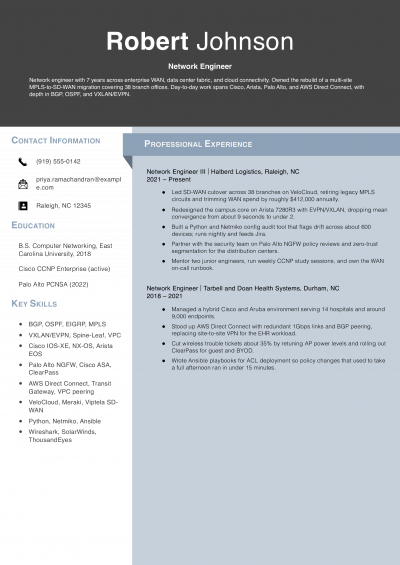
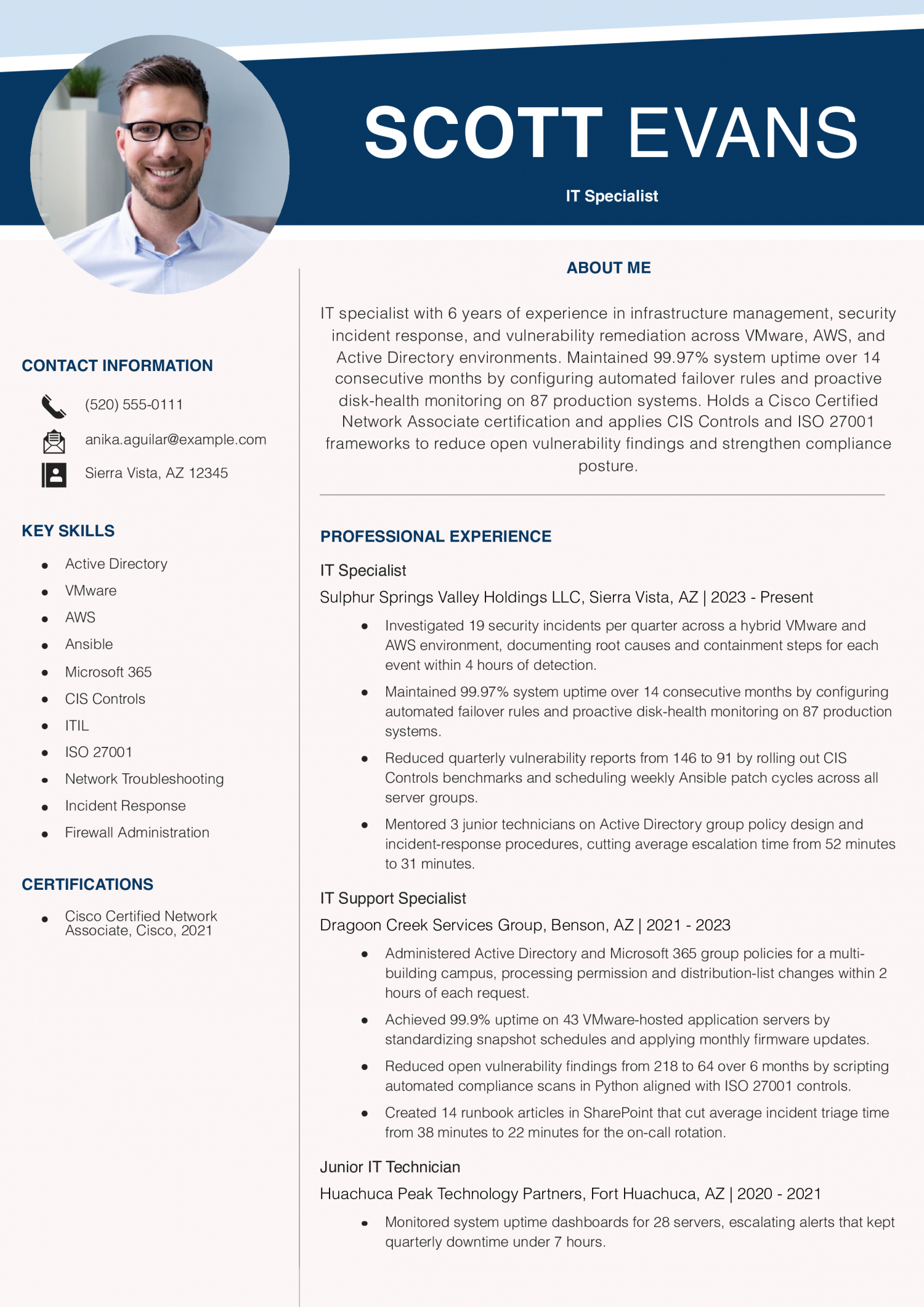
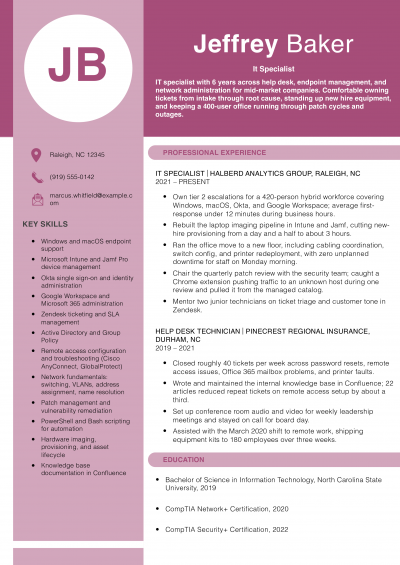
Consider this resume if you are a mid-level IT specialist with about six years of hybrid infrastructure and security experience. Open with the number of incidents or vulnerabilities you handled, then name the containment method behind each one to show operational depth.
IT managers hiring for infrastructure and security look for fewer open vulnerabilities and fewer repeat problems, backed by named standards and tools. This resume shows the vulnerability count falling and names the control standard and the patch tool behind it. On your own resume, pair the drop in findings with the standard and the automation you used.
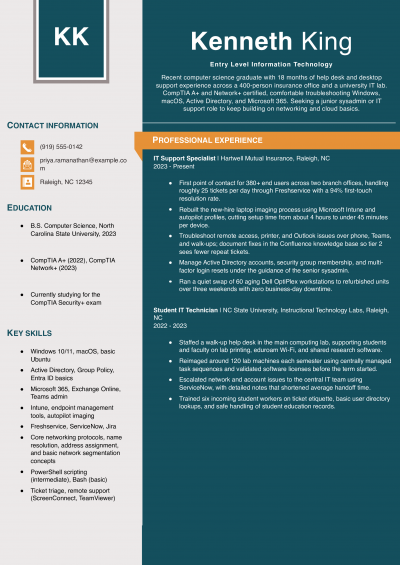
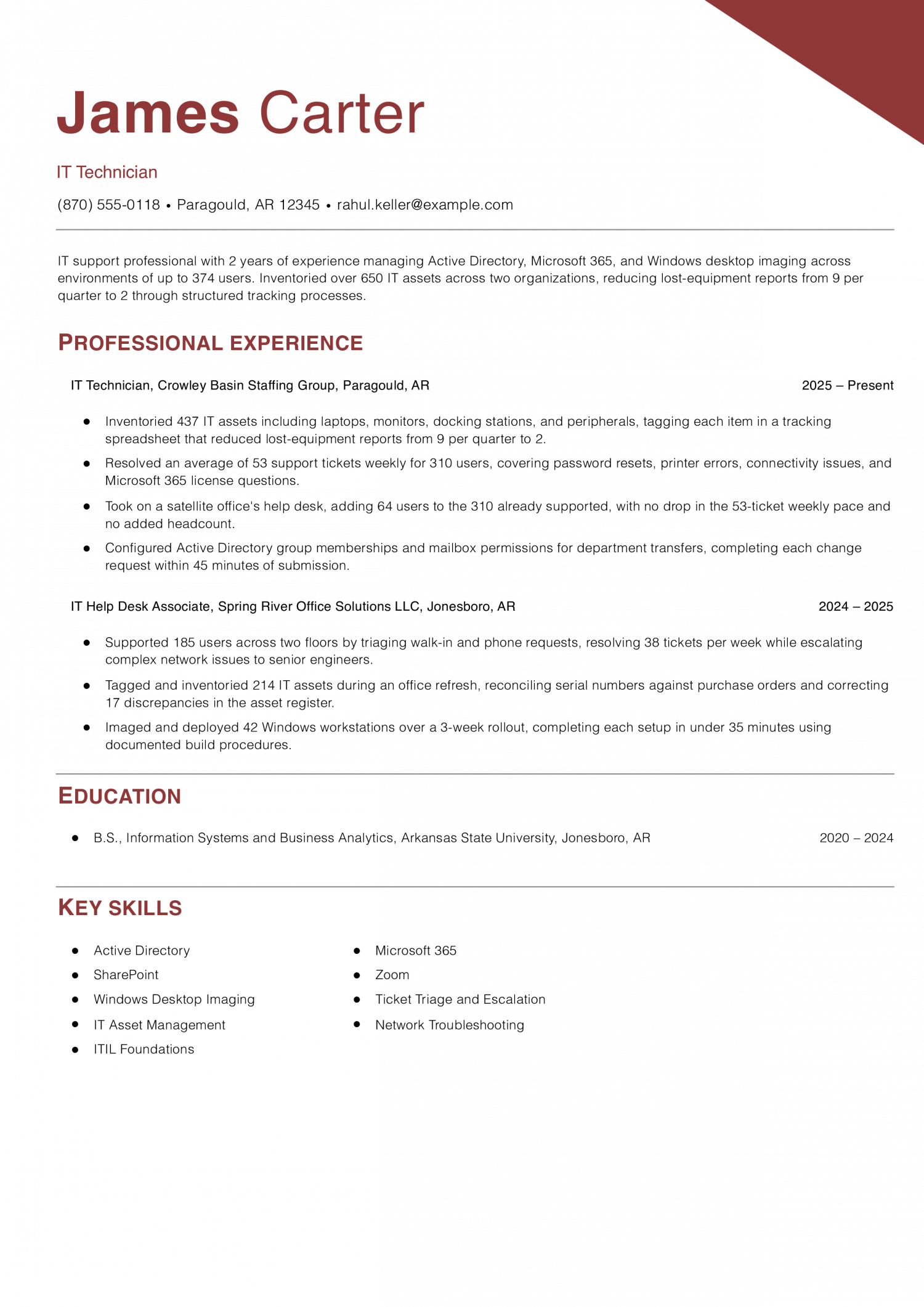
Start with this resume if you are an entry-level IT technician building your first full-time support record. Lead with the user count and ticket volume in every bullet to prove you can handle a growing workload.
Help desk leads look for entry-level techs who keep tickets moving as the user count grows. This resume shows the same weekly ticket pace after a satellite office increased the number of users supported. When you describe a larger workload on your own resume, give the before and after user counts so the reader sees you kept up.
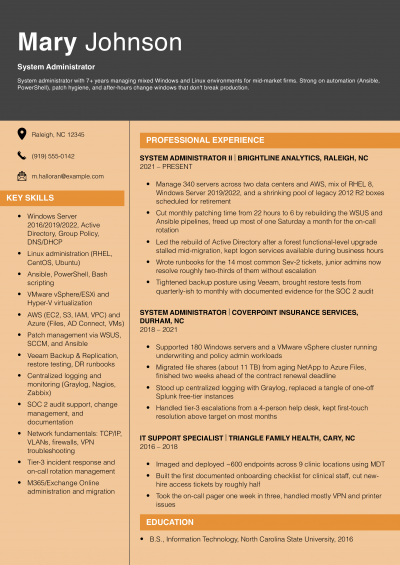
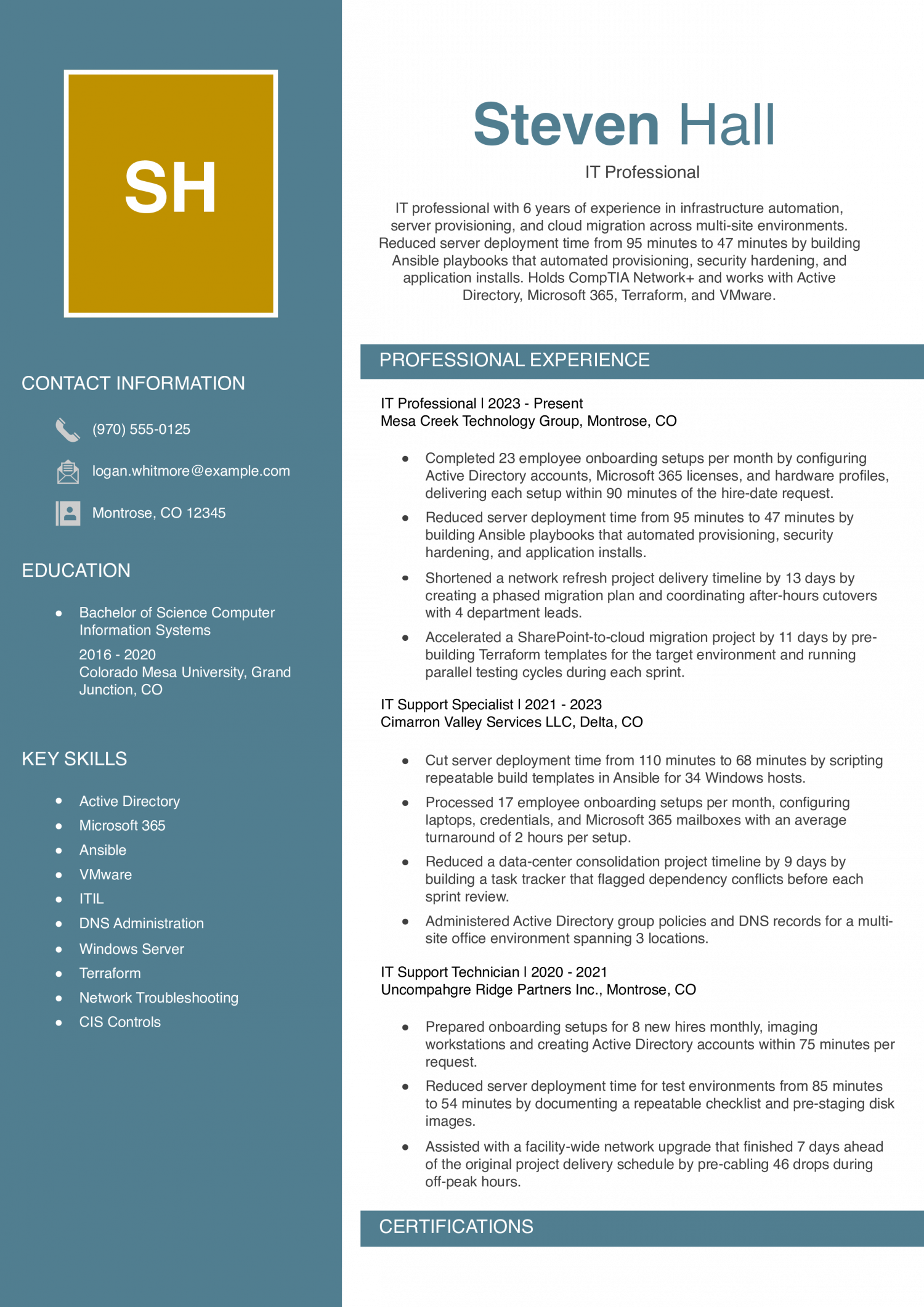
This resume fits a mid-level IT professional with about six years in infrastructure and automation. Lead with deployment-time reductions that show both the before and after figures for the same task across roles.
Hiring managers for mid-level IT roles look for projects finished ahead of schedule and the habit behind it. This resume shows how building templates before the migration began saved time. When you describe project work on your own resume, give the days you saved and the preparation that made it possible.
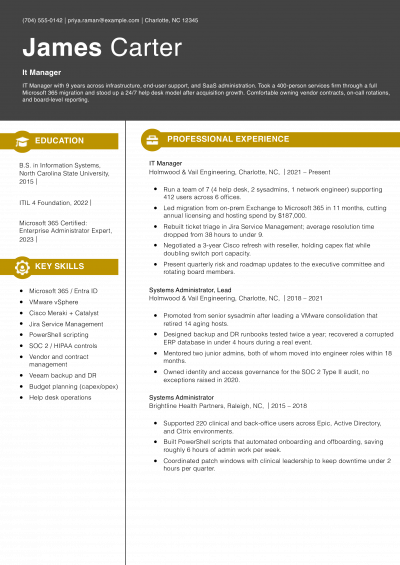
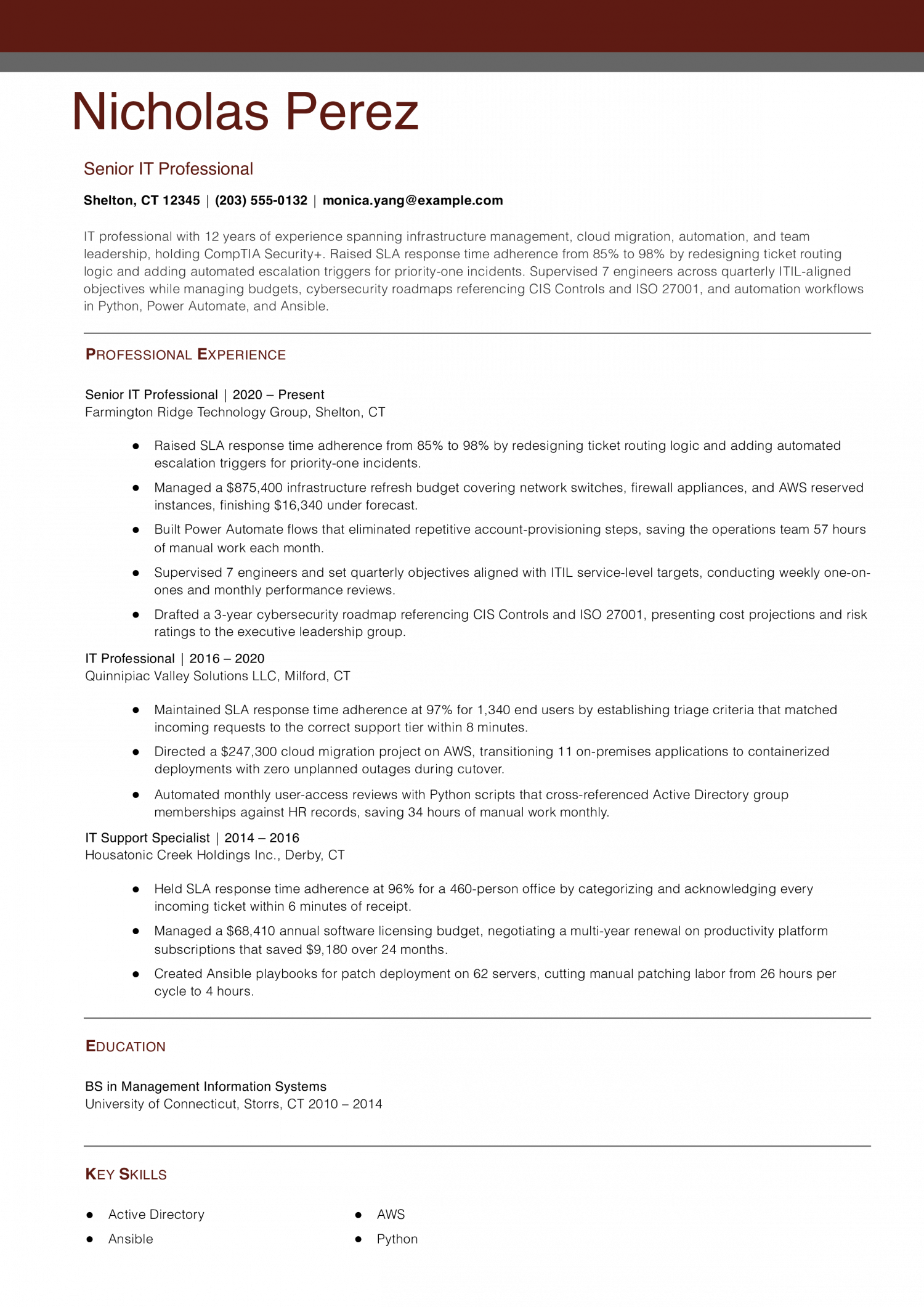
Choose this resume if you are a senior IT professional with about 12 years across infrastructure, cloud, and team leadership. Lead with SLA adherence gains that name the routing or escalation method behind each improvement.
Directors hiring a senior IT lead look for someone who can maintain service levels, lead a team, and manage a budget. This resume gives the budget size, the team size, and how far spending came in below forecast. When you describe leadership on your own resume, state the dollars you managed and how many people you led.
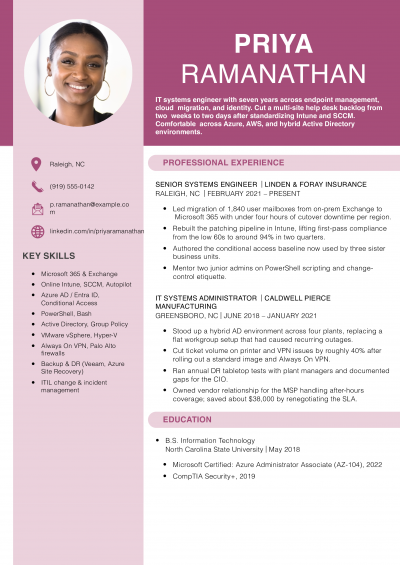
Experienced in administering more than 130 servers and VMs across VMware and AWS environments, with 6 years of infrastructure management, cost optimization, and application performance tuning. Reduced monthly infrastructure spending by $7,230 by right-sizing 23 AWS EC2 instances and decommissioning idle VMs, and improved application performance by 17% through in-memory caching and MongoDB query optimization. Holds a CompTIA A+ certification and a BS in Management Information Systems, with hands-on skills in Ansible, Active Directory, Microsoft 365, and ITIL Service Management.
IT managers and technical recruiters can verify your A+ or CCNA in seconds. They cannot see your niche value from a cert list alone, so your resume must do that work.
That could be a scripting language like PowerShell or Python, or experience with Azure AD hybrid joins. A bilingual help desk background works too, since it shows you can support users in more than one language. Pick the single thing a peer candidate is unlikely to share.
Place it in your opening line so it reads before anything else. This tells the reviewer what you bring beyond a standard skill set. One sharp detail up front beats a long list of general claims.
IT work creates data you can count, and most of it already lives in your ticketing system or monitoring dashboard. Ticket volume per week is a strong starting metric. Mean time to resolution is another good one to track.
You might also cite uptime percentages for servers or networks. A bullet that says “resolved 45 tickets per week” tells more than “handled user requests.” Cost savings matter too. If you cut licensing spend, name the dollar figure.
If you reduced downtime, state the hours saved per quarter. Percentages work when raw numbers feel small. For example, “cut repeat incidents by 30%” reads well at any scale.
When you pair an action verb with a clear metric, hiring managers can gauge your impact in a few seconds of reading.
Long bullet lists blur together on the page, and reviewers tend to skim past them. Sort your experience into three to five task areas instead. Common groups for IT roles are end-user support, network administration, and security operations.
You might also add systems deployment or cloud migration. Under each group, write two to four bullets with results. This format helps a reviewer find the skills that match their open role without re-reading the whole page.
It also shows range without forcing the reader to scan dozens of lines. Label each group with a short heading that matches the job posting. If the posting says “endpoint management,” use that phrase.
Mirror the employer’s own language wherever you can, because applicant tracking systems often score keyword matches.
Add a short credentials section on page one, right below your profile summary. IT managers and technical recruiters often scan for certs before reading your work history. List CompTIA A+ for entry-level proof of hardware and OS skills.
Add CompTIA Network+ or CompTIA Security+ on its own line. Include the CCNA from Cisco if you hold it. For each credential, name the issuing body and the year you earned it.
Below the credentials, add a tools line that names your daily stack. Include operating systems, ticketing platforms, and monitoring tools.
For entry-level and mid-level IT roles, your education section still carries weight. Put your highest degree first and name the school. If you hold an associate degree in a related field, place it here as well.
Relevant coursework in networking or cybersecurity can add context. Capstone projects that involved real lab environments are worth a one-line note. If you earned honors, include them on the same line as your degree.
Skip your high school once you have any college credit or a cert like A+. One page works well if you have under ten years of IT experience. Keep the layout clean with standard fonts and clear section headers.
A plain format parses well through applicant tracking systems, and it prints without layout errors.
Check the tools and protocols below against each posting you apply to.
Hard skills come first for IT managers and technical recruiters. They scan for named platforms, OS types, and networking tools. Soft skills like problem solving matter too. They show up best when tied to a result in your work history.
Move the matching terms from the tables into your bullets.
Match the exact phrasing in the job ad. An ATS scores your resume by comparing your text to the posting. Use the same term the employer chose. Swap in a synonym only if the ad lists both forms. This small step can lift your match rate on the first screen.
| Soft Skills | AI-estimated % |
|---|---|
| Cross-team collaboration | 75% |
| Problem diagnosis | 55% |
| Clear technical communication | 50% |
| Adaptability to change | 35% |
| Stakeholder expectation management | 32% |
And here are the top hard skills showing up most often.
| Hard Skills | AI-estimated % |
|---|---|
| Network infrastructure management | 75% |
| System administration | 62% |
| Cybersecurity implementation | 43% |
| Help desk support | 35% |
| IT project deployment | 34% |
Skill names and rankings come from an AI model grounded in U.S. Department of Labor occupation data for IT professionals, not from a count of IT professionals’ resumes built on ResumeTemplates.com.
For an IT professional resume, IT managers and technical recruiters look at network infrastructure management and system administration first, so the items below back those up with detail.
IT managers and technical recruiters scan for specialty terms. Generic phrases like “computer skills” rarely match open roles. Desktop support covers the tools you use daily. Network admin terms show routing and switching knowledge. Security keywords prove you can protect company systems. Cloud terms matter when roles involve hosted services. Helpdesk phrases highlight your end-user support record. Pick the groups that match your real experience. Add them to your skills section or bullets.
| Niche | Keywords ATS scans for |
|---|---|
| Desktop Support | Active Directory, Group Policy, remote imaging |
| Network Administration | DNS management, firewall rules, subnet configuration |
| Security Operations | vulnerability scanning, incident response, endpoint protection |
| Cloud Infrastructure | AWS EC2, Azure virtual machines, VMware vSphere |
| Helpdesk Operations | ServiceNow, SLA compliance, ticket escalation |
Opinions on AI vary among IT managers. Some teams want you to automate monitoring and ticket triage with AI tools. Others worry about security risks and ban generative AI on company networks. Name the tools you have used in production. Describe the real workflow, such as writing prompts for log analysis. Do not claim you “built an AI pipeline” if you ran a vendor’s preset model. IT managers and technical recruiters will ask you to walk through your process. Keep each entry tied to a task you completed.
AI classifiers sort incoming tickets by urgency, so you spend less time on manual routing.
Machine learning models flag anomalies in server logs faster than rule-based alert thresholds can.
Code-completion tools draft PowerShell or Bash scripts that you then review and test before deployment.
AI tools predict hardware failures by analyzing warranty data and performance trends over time.
Chatbots handle password resets and FAQ responses, freeing you for complex troubleshooting tasks.
GitHub Copilot: Drafts automation scripts in Python or PowerShell that you review before running.
Splunk AI Assistant: Surfaces anomalies in system logs so you can investigate root causes faster.
IT managers and technical recruiters scan your tech stack first. They want to match your tools to their environment. A clear, grouped list makes that match fast.
Beyond a degree or baseline work history, the credentials below tell IT managers and technical recruiters how deep your skills run. They signal whether you can handle network builds, security audits, or endpoint support at a verified level. Many postings name a specific cert as preferred or required.
Others treat any vendor credential as a plus. List each one with the year you earned it and the date it expires. If a cert is pending, add the month you plan to test.
That one detail helps a reviewer gauge your timeline. Keep the block near the top of page one so it stands out on a quick scan.
Resume Templates offers HR approved resume templates to help you create a professional resume in minutes. Choose from several template options and even pre-populate a resume from your profile.
Include a summary, a skills section, work experience with measurable results, and education. List certifications like CompTIA Network+ or CCNA in their own section.
Tailor your skills and bullet points to match the job posting's technical needs. IT managers and technical recruiters scan for specific tools before reading further.
Open with a two- to three-sentence summary that names your specialty and a measurable outcome. For example, state the size of the environment you supported and the uptime you maintained.
Place this statement directly below your contact information so reviewers see it first.
Under ten years in IT calls for one page, no more. Keep your bullets focused on recent, relevant roles to stay within that length.
A second page is reasonable when you hold certifications across different domains and have ten or more years of work. Every line on that second page should still earn its space.
Yes, a home lab can strengthen your resume when it fills a gap in your paid experience. This is common for IT professionals moving into cloud or security roles.
Describe the project the way you would describe paid work. Name the tools you used and a concrete result, such as the number of virtual machines you configured.
Note any certifications you earned or freelance projects you finished during the gap. A CompTIA Network+ passed mid-gap shows you stayed current with the field.
IT managers and technical recruiters care more about current skills than a continuous timeline. A short, honest line about the gap paired with proof of learning is enough.
Lead with a summary that names the specialty you are targeting, not the one you are leaving. Rewrite your bullets to highlight transferable skills that match the new posting.
For example, a help desk professional moving into network administration should stress troubleshooting and switch configuration. Add any lab work or coursework that supports the new direction.
Yes, list them and label each one with the word Contract or the staffing agency name. IT managers and technical recruiters expect contract work in this field and will not penalize it.
If you held several short contracts with similar duties, group them under one heading. Include metrics for each engagement, such as tickets resolved per week or servers migrated.
Put your IT professional experience in an ATS-friendly template so software and people can both follow it. A basic template is a fine alternative. Write plain headings, choose a standard typeface, and leave decoration out.
IT Professional Resume
4.2/5 stars with 217 reviews

Executive Resume Writer and Career Coach
Andrew Stoner is an executive career coach and resume writer with 17 years of experience as a hiring manager and operations leader at two Fortune 500 Financial Services companies, and as the career services director at two major university business schools.
© 2026 Resumetemplates.com All rights reserved.