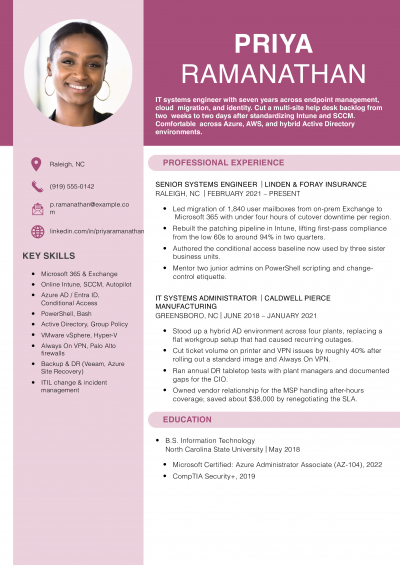
Help Desk Resume Examples and Templates for 2026



IT managers and support team leads scan the top third of an IT Specialist resume for platforms, ticketing systems, and endpoint counts supported; if those specifics aren't visible there, the resume moves to the reject pile.
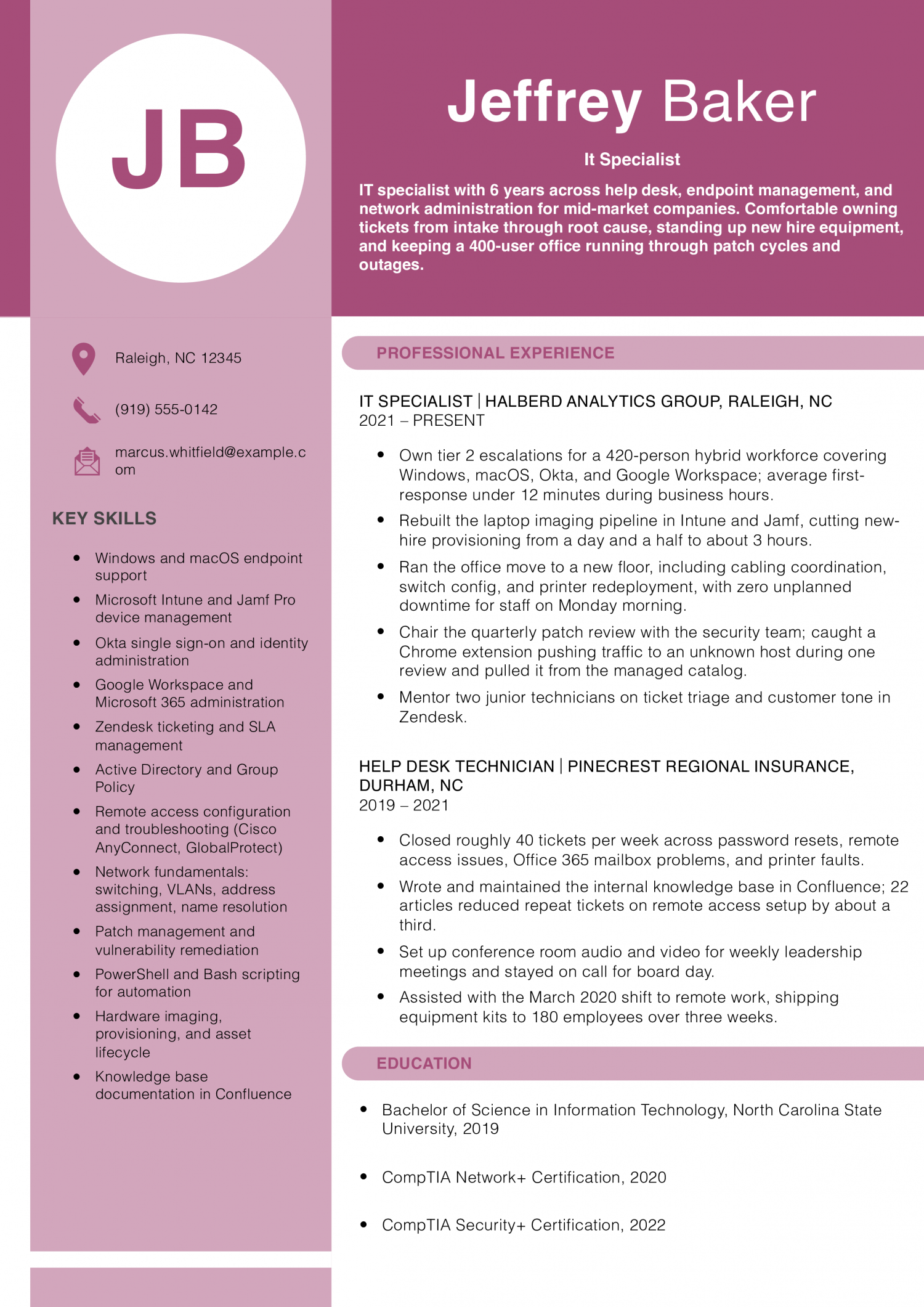
This resume is for the entry-level help desk hire who resolves tickets, resets accounts, and images machines under a queue target. Show ticket volume, first-touch resolution rates, and the tools you handled daily.
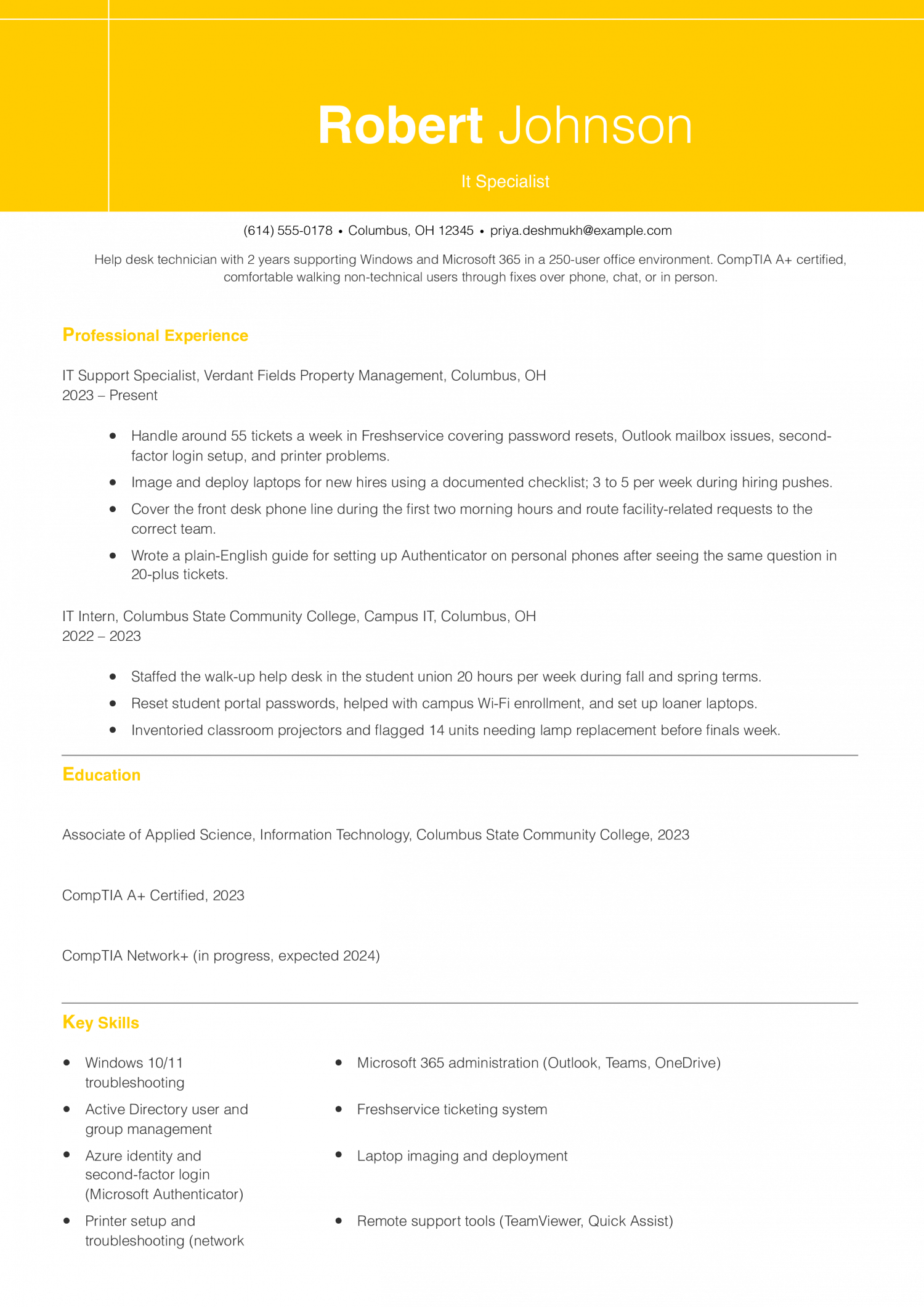
This resume is for the mid-career IT Specialist who owns systems beyond the ticket queue, from endpoint management to network changes. Prove project ownership, cross-team support work, and the platforms you administer without supervision.
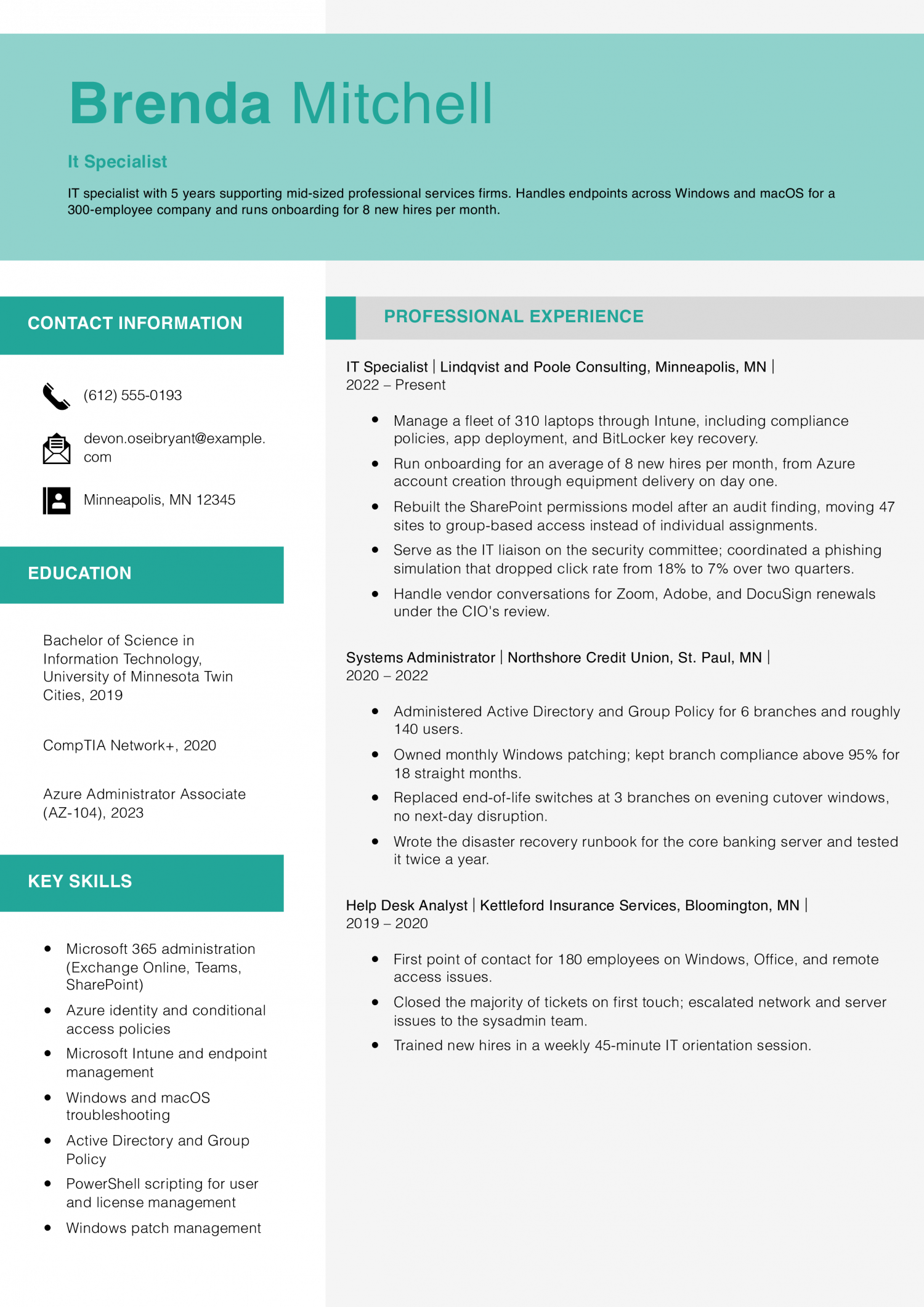
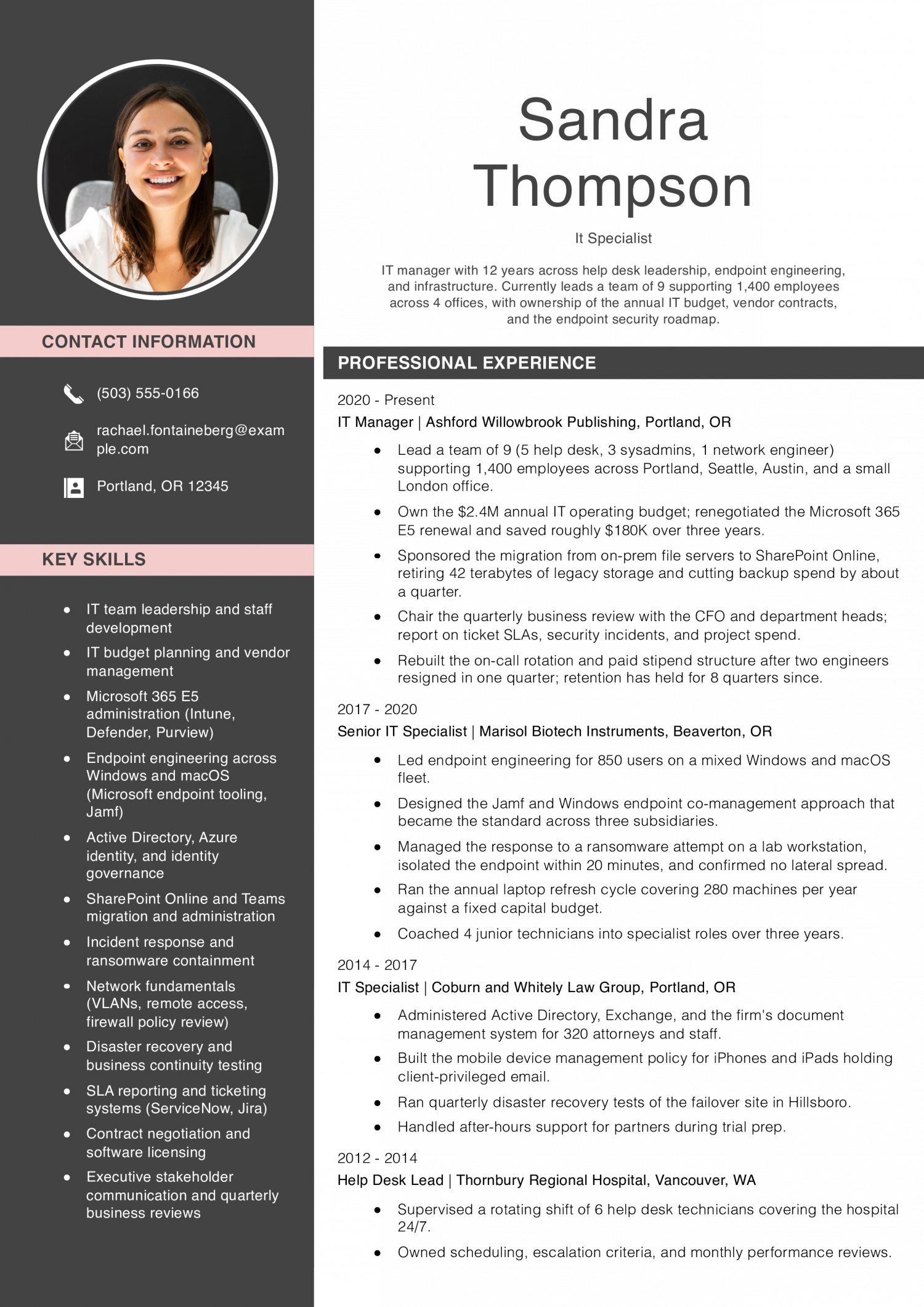
This resume is for the senior lead who sets IT policy, manages a support team, and reports to business leadership on uptime and spend. Show budget scope, staff headcount, and infrastructure decisions you drove end to end.
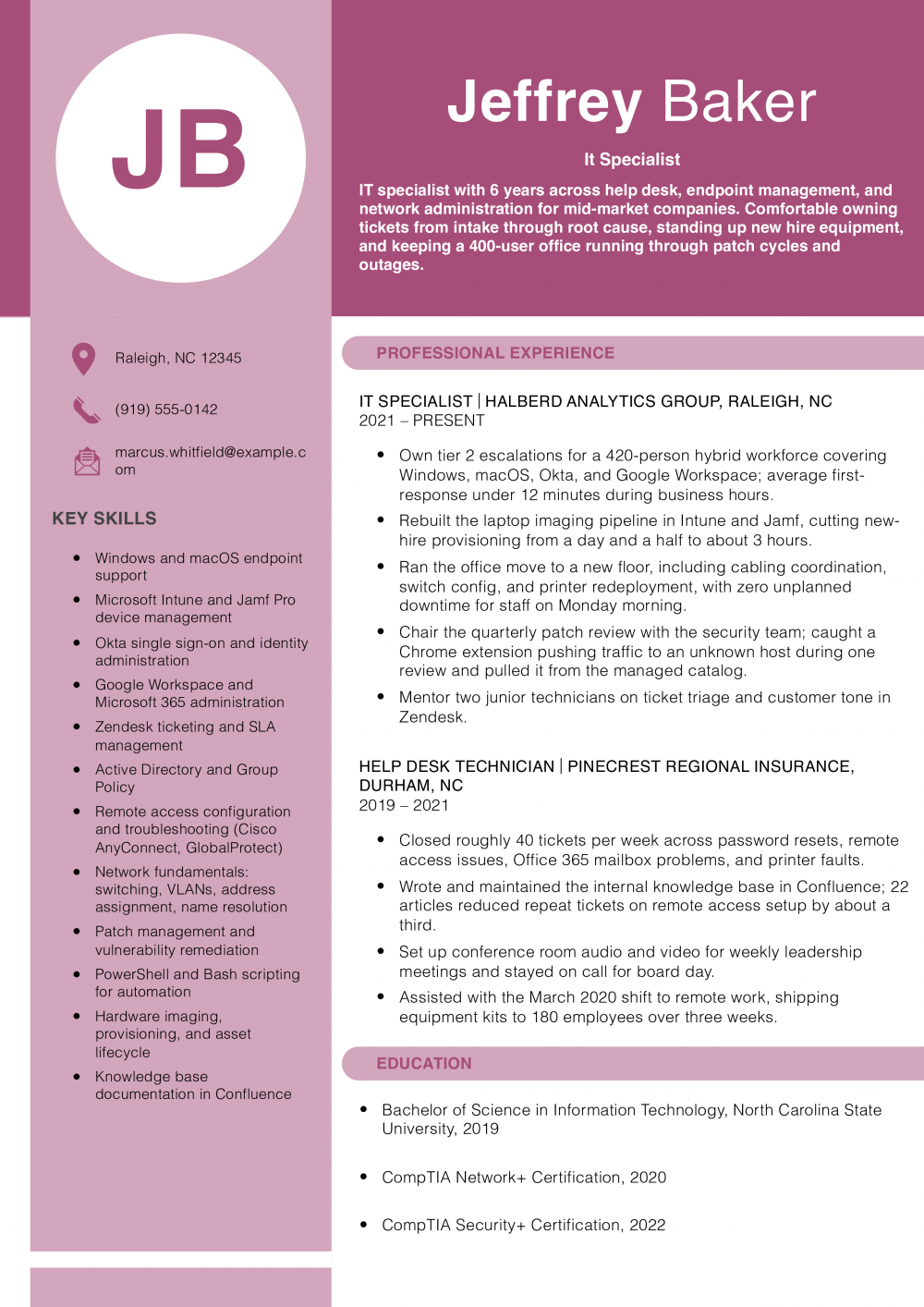
Marcus Ellery Whitfield
Raleigh, NC | (919) 555-0142 | [email protected] | linkedin.com/in/marcus-whitfield
IT specialist with 6 years across help desk, endpoint management, and network administration for mid-market companies in the Research Triangle. Comfortable owning tickets from intake through root cause, standing up new hire equipment, coordinating vendor work, and keeping a 400-plus user office running through patch cycles, office moves, and unplanned outages.
IT Specialist
Halberd Analytics Group | Raleigh, NC | 2021-Present
Help Desk Technician II
Pinecrest Regional Insurance | Durham, NC | 2020-2021
Help Desk Technician I
Pinecrest Regional Insurance | Durham, NC | 2019-2020
IT Intern
Wake Technical Community College, Campus IT | Raleigh, NC | 2018-2019
Your summary should lead with a number, not a job title recap. IT managers and support team leads scan the first line for ticket volume, uptime figures or endpoint counts. Name your average tickets closed per week and the first-call resolution rate you hold.
Add the size of the environment you support: user count, site count or device count. This tells a reader in one line whether your scale matches their queue. A summary that opens with years of experience gets skimmed past.
A summary that opens with 40 tickets a week at 92 percent first-call resolution gets read. Save tooling names and soft-skill language for later in the summary.
Support work is measurable, and a ticket count or resolution time turns a duty into a result. Most strong IT specialist bullets carry two or three figures each. Name ticket volume, resolution time or user population served in the same line.
A bullet like resolved 35 tier-one tickets a day at a 15-minute average reads harder than owned the ticket queue. Recruiters scan for SLA attainment, uptime percentage and backlog reduction first. If exact numbers are not tracked, use a defensible range or the size of the user base.
Pair each metric with the outcome it drove, like reduced repeat tickets by 20 percent. Bullets that carry a number tend to advance further in the screen.
Sort your bullets into four buckets so a reader can scan by skill area. The first bucket is end-user support: troubleshooting, password resets and hardware swaps. The second is systems and network: Active Directory, printers and basic switch or firewall work.
The third is imaging and deployment: device builds, enrollment and software packaging. The fourth is documentation and process: knowledge base articles, runbooks and onboarding checklists. Label each cluster in your experience section with a short lead line.
This lets a support team lead confirm coverage in five seconds. Avoid dumping every tool into one long paragraph. A grouped list reads faster than a wall of acronyms and shows the shape of your day.
IT managers and support team leads screen for tooling before they read prose. Put a credentials and tools block near the top of page one, under the summary. List your ticketing system, remote support tool, device management platform and identity provider by exact name.
Name the platforms you cover: Windows, macOS and any Linux you actually support. Add any certifications you hold in a short line above or beside this block. If a certification is in progress, mark it as such with an expected date.
This placement matters because keyword scans and human skims both start at the top. Buried tooling reads as missing tooling. Keep the block to two lines so it stays scannable, and repeat the tools inside bullets where you used them.
Put education at the bottom once you have a year or more of paid support work. List your degree or diploma, the school and the graduation year on one line. If you finished a bootcamp, IT support certificate or associate program, list it here in the same format.
Coursework belongs on the resume only if you are inside your first year out of school. Add a short section for relevant projects if your paid experience is thin: a home lab, a helpdesk internship or a volunteer network build. Skip hobbies, headshots and a full mailing address.
City, state, email and phone are enough. A clean footer keeps the reader focused on the metrics and tools above it.
IT managers and support team leads read dozens of IT Specialist resumes a week. They scan for the tools and platforms the ticket queue actually runs on. The tables below show the skills that show up most often in postings for this role.
Use them as a checklist against the job description you want. Hard skills carry the first pass in an ATS scan. Active Directory or ServiceNow either appear on your resume or they do not.
Soft skills like troubleshooting and user empathy earn weight later in the read. Your bullets have to prove them with a real incident or ticket. Pull the tables side by side with the posting text in front of you.
Keep only the terms you can defend in a live interview. Drop anything you have not touched in the last two years. Add tools the posting names that you use daily but forgot to list.
| Soft Skills | AI-estimated % |
|---|---|
| Patient user communication | 71% |
| Calm under pressure | 61% |
| Active listening | 44% |
| Cross-team collaboration | 35% |
| Priority management | 32% |
And here are the top hard skills showing up most often.
| Hard Skills | AI-estimated % |
|---|---|
| Help desk troubleshooting | 75% |
| Hardware installation | 53% |
| Network connectivity diagnosis | 48% |
| User account provisioning | 36% |
| IT ticket documentation | 26% |
Skill names and rankings come from an AI model grounded in U.S. Department of Labor occupation data for IT specialists, not from a count of IT specialists’ resumes built on ResumeTemplates.com.
These are the must-haves hiring teams look for when scanning an it specialist resume.
IT managers and support team leads scan for the tools you touch. They also want the tickets you close and the users you serve. Group your keywords by the work, not by a skills dump. A help desk role reads for ticket systems and endpoint fixes. A network role reads for switches, routers and Cisco gear. A security role reads for endpoint tools and patch work. A cloud role reads for Azure or Microsoft 365 admin work. Match the terms to the posting you are chasing. Write each tool the way the vendor writes it. Keep the capitals on Active Directory, Intune and ServiceNow.
| Niche | Keywords ATS scans for |
|---|---|
| Help Desk Support | ServiceNow tickets, Tier 1 support, Active Directory |
| Endpoint Management | Intune, Windows imaging, device deployment |
| Network Administration | Cisco switches, network config, remote access support |
| Cloud and M365 | Azure admin, Exchange Online, SharePoint admin |
| Security Operations | patch management, endpoint detection, access controls |
IT teams are split on generative AI right now. Some managers want you using copilots to triage tickets and draft scripts faster. Others restrict AI on regulated networks or block it at the firewall. Name the tools you actually use on the job. Describe the workflow honestly, including who reviews the output before it ships. Do not claim you automate incident response with AI if your real practice is drafting runbooks and checking them by hand. IT managers and support team leads read these lines closely. They want to see judgment about data handling, not a list of trendy tools.
Copilots draft first-response replies and suggest categories, but you still confirm priority and route the ticket.
Assistants sketch PowerShell or Bash snippets faster, though you test each script in a sandbox before running it.
Retrieval tools surface old tickets and vendor docs, which shortens the time you spend hunting for prior fixes.
Many employers block pasting logs or user data into public models, so you learn approved tools and redaction habits.
The 90th-percentile IT Specialist out-earns the median by roughly 63 percent, while the 10th percentile sits about a third below it. That spread is wider than most support roles carry, which tells you the market pays for depth in a stack more than for years on a help desk. National employment in the field is large, so the floor holds a big share of the workforce and the ceiling stays narrow.
Lead the resume with the systems you administer end to end, the tools you own, and the incident scope you cover. Save generalist troubleshooting for later bullets. Put the specialization at the top where IT managers and support team leads read first.
| # | State | Median Annual |
|---|---|---|
| 1 | District of Columbia | $80,950 |
| 2 | California | $79,570 |
| 3 | Washington | $75,220 |
| 4 | Massachusetts | $75,070 |
| 5 | New York | $72,560 |
| 6 | Colorado | $71,900 |
| 7 | Connecticut | $70,210 |
| 8 | Wyoming | $65,100 |
| 9 | Virginia | $65,040 |
| 10 | Maryland | $64,750 |
| # | State | Workers | Median |
|---|---|---|---|
| 1 | California | 74,490 | $79,570 |
| 2 | Texas | 72,030 | $59,490 |
| 3 | Florida | 51,220 | $58,740 |
| 4 | New York | 39,100 | $72,560 |
| 5 | Pennsylvania | 30,560 | $58,670 |
Resume Templates offers HR approved resume templates to help you create a professional resume in minutes. Choose from several template options and even pre-populate a resume from your profile.
Yes, IT specialist reads as a credible title when you back it with tickets closed, systems supported, and uptime figures.
IT managers and support team leads scan for scope before they read prose, so put numbers on the first three bullets. A vague title with no metrics reads weaker than a helpdesk title with real ones.
Federal IT specialist resumes run three to five pages and repeat the exact wording of the job announcement. Match each specialized experience statement in the posting with a bullet that uses the same nouns.
Include hours per week, month and year for every role, and the pay grade if the posting asks for one.
Lead with the operating systems, ticketing tools, and directory services you support day to day. Follow that with a summary line naming the user count and the environment size you have handled.
Bullets should pair a support action with a measurable result, such as ticket volume or resolution time.
List active certifications that match the posting, and drop ones that expired more than two years ago. CompTIA A+, Network+, and Microsoft role-based badges belong near the top when the posting asks for them.
Vendor training courses without an exam belong in a separate professional development line, not the certifications block.
Reframe your helpdesk bullets around the higher-tier work you already do, such as imaging, account provisioning, and escalations you resolved without a handoff. Move routine password resets and printer tickets into a single summary bullet.
That shift signals to IT managers that you are ready for tier two scope.
Group contract roles under one employer heading, usually the staffing firm or service provider, and list each client engagement as a sub-bullet. Note the contract length and the reason it ended, such as project complete or converted to permanent.
That framing reads as steady project work rather than short stints.
Yes, name the tool and the task when it changed your output, such as using Copilot to draft PowerShell scripts you then tested and deployed. IT managers care that you validated the output, not that you typed it yourself.
Vague claims of AI fluency without a task attached read as filler.
For an IT specialist, an ATS-friendly template is the safest pick, because it puts your certifications and experience where a hiring manager scans first. A basic template is a solid alternative. Whichever you choose, keep the formatting clean and easy to parse: clear section headings, a standard font, and no graphics a parser can choke on.
Executive Resume Writer and Career Coach
Andrew Stoner is an executive career coach and resume writer with 17 years of experience as a hiring manager and operations leader at two Fortune 500 Financial Services companies, and as the career services director at two major university business schools.
Customize this template in our builder in under 10 minutes.