Help Desk Resume Examples and Templates for 2026



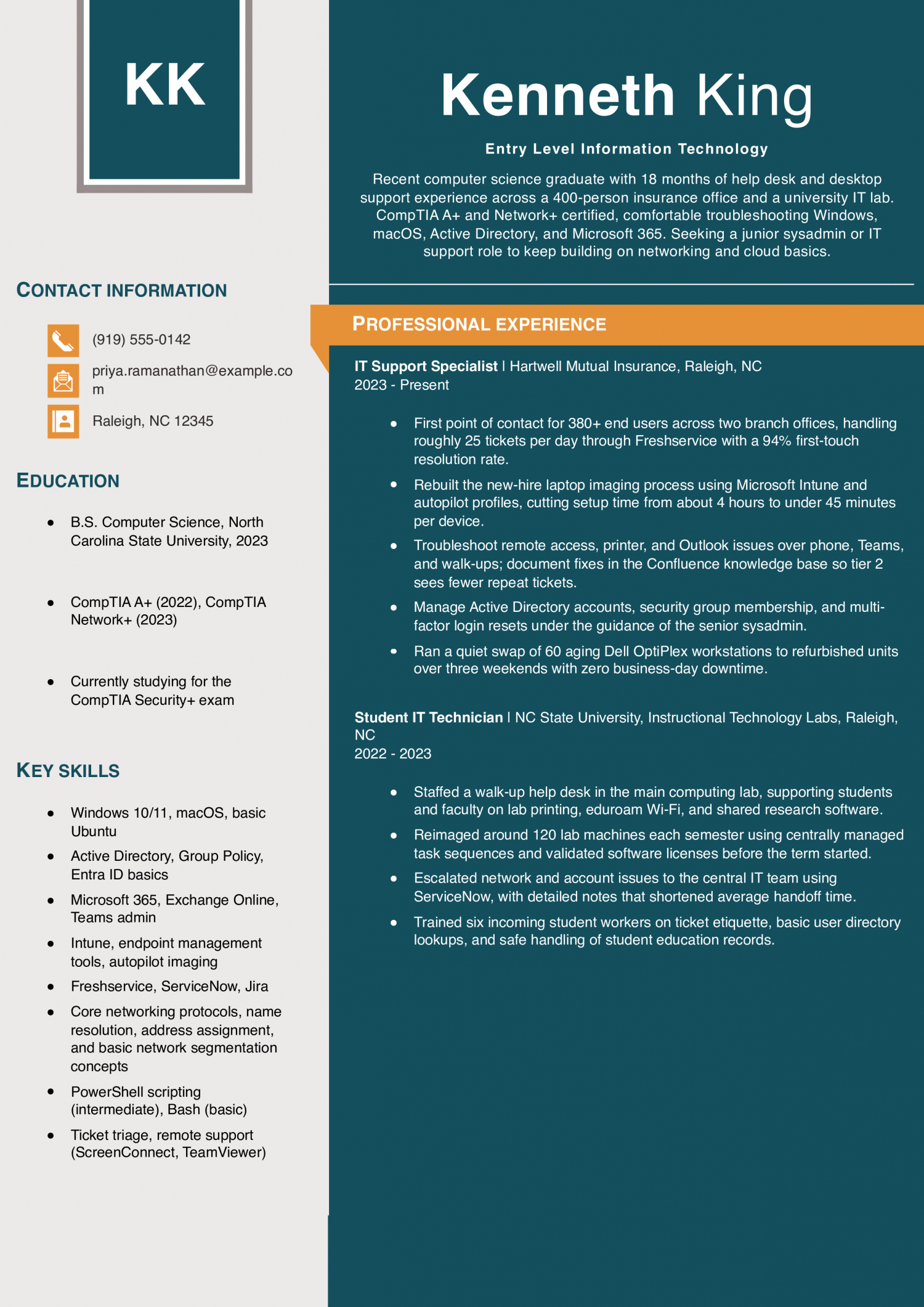
This resume fits someone with a two-year degree, a help desk internship, or a first support role. Show that you can troubleshoot tickets, image machines, and follow escalation paths IT managers and technical recruiters trust.
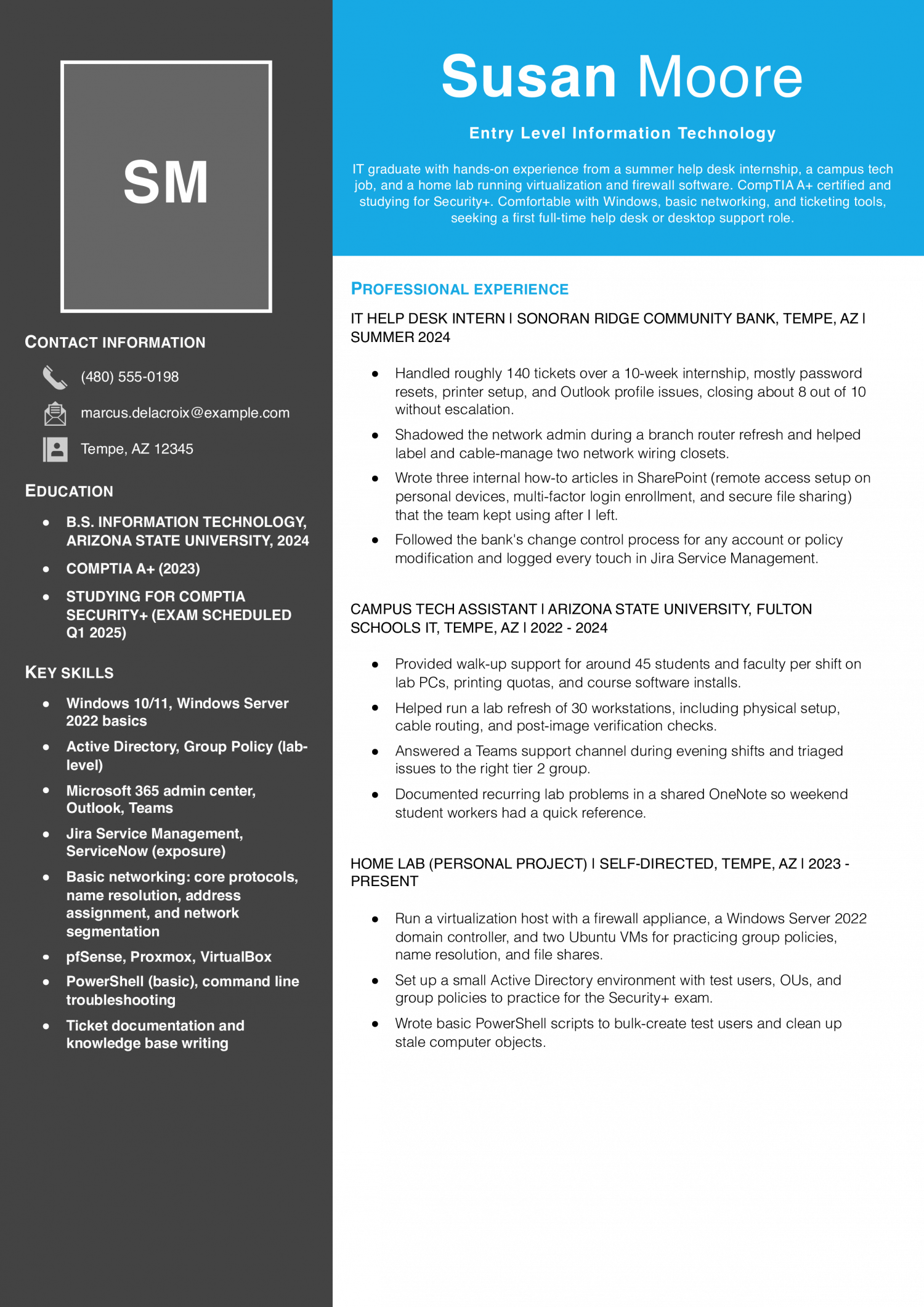
Elena Kowalski
Columbus, OH | (614) 555-0173 | [email protected] | linkedin.com/in/elena-kowalski
Entry-level IT support technician with two years of combined internship, help desk, and retail tech experience. CompTIA A+ and Network+ certified, comfortable with Windows, macOS, Microsoft 365, and basic networking. Known on past teams for clear ticket notes and patience with non-technical users. Looking for a full-time help desk or desktop support role with a path toward systems or network administration.
Help Desk Technician (Contract)
Buckeye Regional Health Partners | Columbus, OH | 2024-Present
IT Support Intern
Midwest Grain Cooperative | Columbus, OH | Summer 2023
Student IT Ambassador
Ohio State University, Office of Technology and Digital Innovation | Columbus, OH | 2022-2024
Sales Associate, Tech Section
MicroCenter | Columbus, OH | 2021-2022
The first line of your summary should name a number, not a claim of passion. Lead with tickets closed per week, systems supported, or users covered during an internship or help desk shift. IT managers and technical recruiters scan the summary to gauge your throughput and comfort with volume.
A line like “resolved 40 plus tier one tickets weekly across 300 users” reads as ready to work. If you lack paid history, cite lab hours, home lab builds, or CompTIA practice environments with the same numeric shape. Follow the metric with the stack you used, such as Windows 10 or Office 365.
Keep the whole summary to three lines so the number stays visible.
A bullet with no number in it reads as a task list, not a track record. For entry level IT, strong bullets show ticket volume, first-call resolution rate, average handle time, or user counts supported. Name two or three realistic metrics per role, such as “closed 25 tickets daily at 92 percent first-call resolution.” If you have no ticketing data, pivot to scope: number of endpoints imaged, accounts provisioned, or classrooms wired.
Recruiters scan for these figures before reading the verb. Pair each metric with the tool that produced it, such as ServiceNow, Jira, or Intune. Avoid inflating numbers you cannot defend in an interview.
A modest, verifiable figure beats a round number that collapses under a follow-up question about your environment.
Sort your bullets so a reviewer can find each skill area in one glance. Most entry level IT resumes cluster well into four buckets. Use end user support for password resets, imaging, and hardware swaps.
Use networking for cable runs, switch port work, and basic Wi-Fi troubleshooting. Use identity and access for directory and Group Policy tasks. Use documentation for knowledge base articles and runbooks you drafted.
Under each cluster, list two or three bullets with a verb, a scope, and a result. This structure helps IT managers and technical recruiters match you to a queue they already staff. It also keeps you from repeating the same generic “provided technical support” line five times.
Put a short credentials block on page one, directly under your summary. List certifications like CompTIA A plus, Network plus, Security plus, or Microsoft and Cisco associate credentials if you hold them. Note any in progress exam with a test date so recruiters see momentum.
Add a technical skills band beneath it grouped by category: operating systems, ticketing, directory services, networking, and scripting. IT managers and technical recruiters filter resumes on these keywords before reading prose. Buried tool names get missed by both humans and applicant tracking systems.
Keep the list to concrete products you have actually touched, such as ServiceNow, Jira, or PowerShell. Skip broad claims like “proficient in all Microsoft products,” which read as filler.
End the resume with an education section that carries weight for an early career candidate. List your degree or program, school, and graduation date or expected date. Add relevant coursework in networking, operating systems, or cybersecurity if your work history is thin.
Below education, include a home lab or projects block, since IT managers and technical recruiters read this as self-directed practice. Name what you built, such as a Windows Server domain with three virtual machines, a pfSense firewall, or a Raspberry Pi Pi-hole. Note the tools and outcome in one line each.
Two or three projects tend to advance further than a long list of half-finished ones. Close with any part-time roles that show reliability, even outside IT.
Entry level IT hiring is tight in 2026. Help desk teams are running leaner and the bar to clear a screen is higher. Check both tables against the actual posting before you finalize your skills section.
IT managers and technical recruiters read the hard skills first to confirm you can work a ticket queue. They check soft skills like communication next, to see if you can walk a user through a fix. Both lists carry weight, but the hard skills pass the scan.
Pull the terms that appear in your target posting. Map each one to a bullet in your work history that proves you used it. Do not pad the list with tools you touched once in a lab.
Keep the phrasing exact: write Active Directory the way the posting writes it. Read the job ad twice before you edit. Cut any skill you cannot back up in an interview.
That gap is easy to spot in a phone screen.
| Soft Skills | AI-estimated % |
|---|---|
| Clear technical communication | 72% |
| Patient user guidance | 55% |
| Calm under pressure | 40% |
| Team collaboration | 39% |
| Adaptability to change | 34% |
And here are the top hard skills showing up most often.
| Hard Skills | AI-estimated % |
|---|---|
| Help desk troubleshooting | 75% |
| Hardware installation support | 54% |
| Software configuration | 42% |
| User account management | 35% |
| Incident ticket documentation | 29% |
Skill names and rankings come from an AI model grounded in U.S. Department of Labor occupation data for entry-level IT professionals, not from a count of entry-level IT professionals’ resumes built on ResumeTemplates.com.
Before an entry level information technology resume gets a closer read, hiring teams check for a short list of essentials.
IT managers and technical recruiters scan for the tools you have actually touched. They also want proof you know the support work of the job. Sort your keywords by the kind of support work each one proves. Help desk terms show you can take tickets and close them. End user support terms show you can walk people through fixes. Network basics show you understand how office traffic moves. Hardware terms show you can swap parts and image machines. Cloud and identity terms show you can manage accounts and access. Pick the groups that match your training or your first role. Then write each term the way the trade writes it, with the right capitals. That is what an ATS filter is built to catch.
| Niche | Keywords ATS scans for |
|---|---|
| Help desk support | Tier 1 support, ServiceNow tickets, SLA response |
| End user support | Windows 11 imaging, Active Directory, password resets |
| Network basics | network cabling, wireless setup, switch configuration |
| Hardware and asset | PC deployment, memory upgrades, asset tagging |
| Cloud and identity | Microsoft 365, Azure, account provisioning |
AI use on an entry level IT resume can go three ways. You can lead with a title like ‘AI-powered support specialist,’ which technical recruiters screen out fast. You can leave it off and field the question during a phone screen. Or you can describe the workflow as it actually runs on a help desk. Name the ticket you triaged, the tool you prompted, and the senior tech who checked the fix before it shipped. The third path is what IT managers and technical recruiters can validate against a reference call.
Copilots suggest a category and priority, and you confirm the routing before the ticket reaches a queue.
Chatbots draft a first reply from the knowledge base, and you edit it before sending to the end user.
You prompt a model for a PowerShell or Bash starter, then test it in a sandbox before running in production.
AI drafts runbook updates from your ticket notes, and a senior tech signs off before the article goes live.
The Bureau of Labor Statistics does not publish a wage code for Entry Level Information Technology specifically. The numbers below are a proxy: the closest published match is Computer User Support Specialists (SOC 15-1232), so use them as an estimate for this role, not an exact figure.
The pay gap between the top and bottom of this tier is wide. The top earners make far more than the middle, and the bottom sits well below it. That spread is wider than you would expect for a starting tier.
It shows the market sorts fast on what you can prove you have touched, not on the fact that you hold a degree. National employment in the field is large, so the tables below will show real geographic range in what the same title pays. Build the resume around specific stacks, tickets closed, and any hands-on lab or internship work.
Lead with the tools IT managers and technical recruiters can match to their own environment on the first read.
| # | State | Median Annual |
|---|---|---|
| 1 | District of Columbia | $80,950 |
| 2 | California | $79,570 |
| 3 | Washington | $75,220 |
| 4 | Massachusetts | $75,070 |
| 5 | New York | $72,560 |
| 6 | Colorado | $71,900 |
| 7 | Connecticut | $70,210 |
| 8 | Wyoming | $65,100 |
| 9 | Virginia | $65,040 |
| 10 | Maryland | $64,750 |
| # | State | Workers | Median |
|---|---|---|---|
| 1 | California | 74,490 | $79,570 |
| 2 | Texas | 72,030 | $59,490 |
| 3 | Florida | 51,220 | $58,740 |
| 4 | New York | 39,100 | $72,560 |
| 5 | Pennsylvania | 30,560 | $58,670 |
Resume Templates offers HR approved resume templates to help you create a professional resume in minutes. Choose from several template options and even pre-populate a resume from your profile.
Pick one track first, such as help desk support, network administration, or cloud operations.
Build two or three home lab projects that mirror the tasks in the job posting. Put those projects on your resume with the tools you used and what you fixed or built.
Help desk technician, desktop support, and junior systems administrator are the common first roles.
Cloud support associate and junior security analyst also hire from the same resume with a small tools swap. Tailor the summary and skills list to the one posting you are sending it to.
Use a reverse chronological format with a short summary, skills, projects, experience, and education.
IT managers and technical recruiters scan for tools and ticket counts, so keep sections labeled and predictable. Save the file as a PDF unless the posting asks for a Word document.
Treat home lab work, coursework, and internships as real experience with dates, tools, and measurable results.
Write bullets that name the problem you solved, the tools you used, and the outcome you produced. A lab where you set up Active Directory for 20 mock users belongs on the resume.
Yes, list an in-progress certification with the exam name and your scheduled test date on one line.
IT managers and technical recruiters read that as active momentum rather than a finished credential. Move it to the completed list the week you pass the exam.
One page is the standard for entry level IT, and a technical recruiter will spend under a minute on it.
Trim older retail or food service jobs to a single line each so the tools and projects have room. Go to a second page only when you have relevant internships and lab work that will not fit.
Write the degree name, the school, and an expected graduation month and year on one line.
If you left school without finishing, list the coursework completed and the years attended without an expected date. Keep this section near the bottom once you have certifications or paid IT experience above it.
For an entry-level IT professional, an ATS-friendly template is the safest pick, because it puts your certifications and experience where a hiring manager scans first. A basic template is a solid alternative. Whichever you choose, keep the formatting clean and easy to parse: clear section headings, a standard font, and no graphics a parser can choke on.
Executive Resume Writer and Career Coach
Andrew Stoner is an executive career coach and resume writer with 17 years of experience as a hiring manager and operations leader at two Fortune 500 Financial Services companies, and as the career services director at two major university business schools.
Customize this template in our builder in under 10 minutes.