Executive Assistant Resume Examples
Lead the summary with the principal tier you support and the calendar load you carry. Name the executive title, the team size behind them, and the time zones in play. Chiefs of staff read that…

A tools-and-platforms line is what gets virtual assistant resumes past the first cut business owners run; concrete task volumes and turnaround times are what make them readable enough to move to a paid trial.
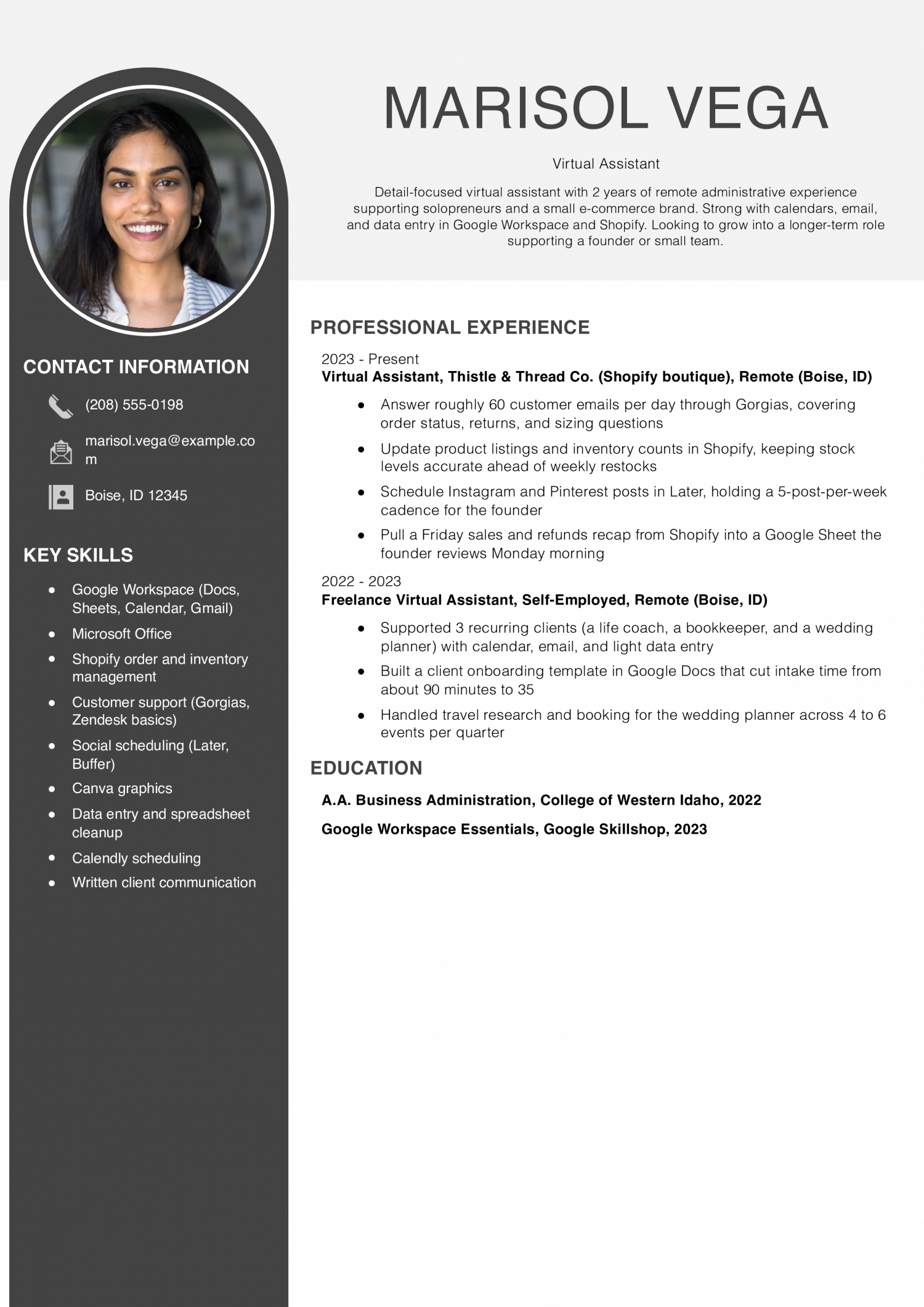
This resume is for someone new to virtual assistant work who supports one or two clients on inbox, calendar and travel. It has to prove you can run daily tasks without hand-holding.
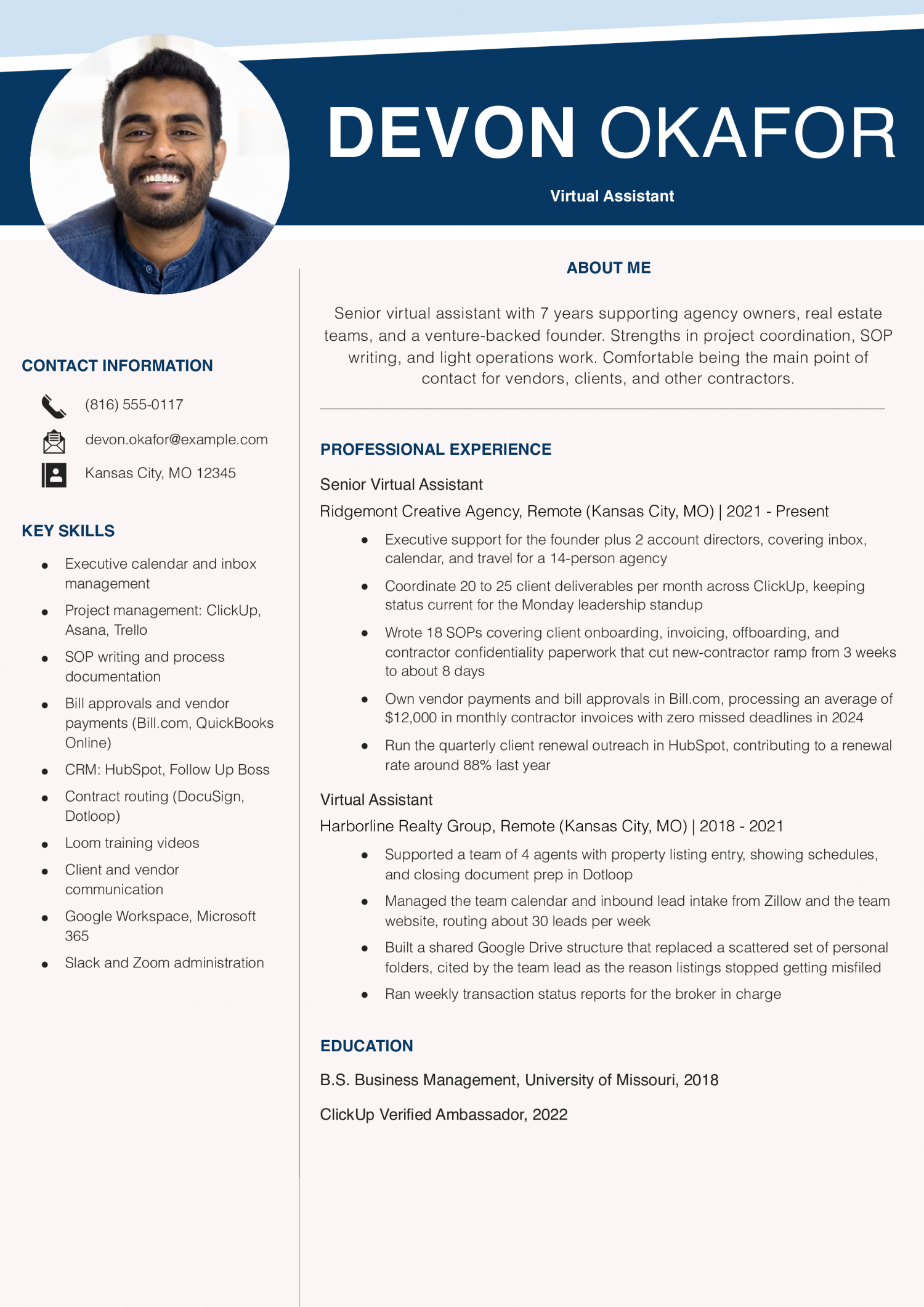
This resume is for a senior virtual assistant running a full book of clients across scheduling, billing and project work. It has to prove you own outcomes and set your own priorities.
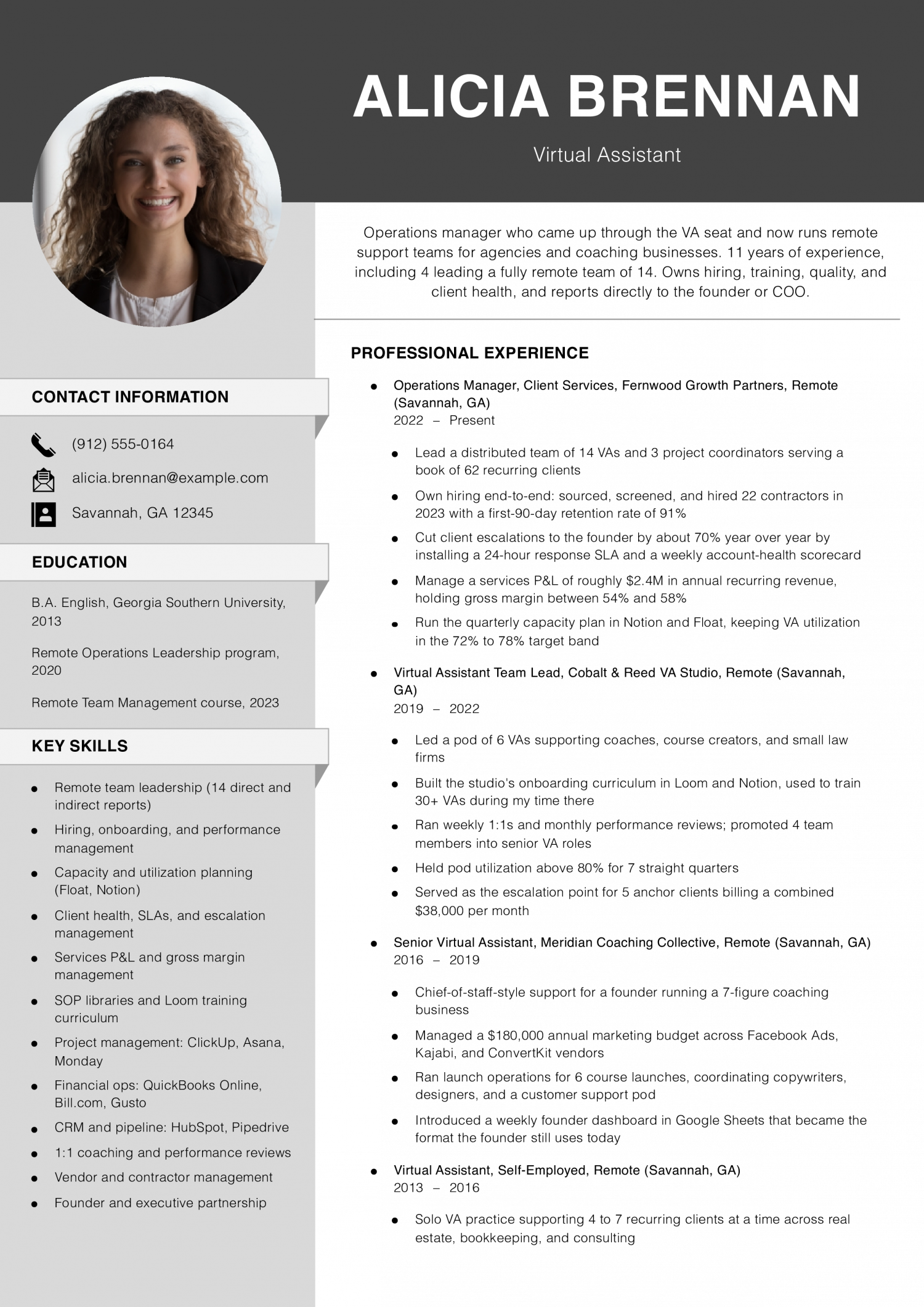
This resume is for a team lead or operations manager who hires, trains and reviews other virtual assistants. It has to prove you build process, hold quality and own client retention across the group.
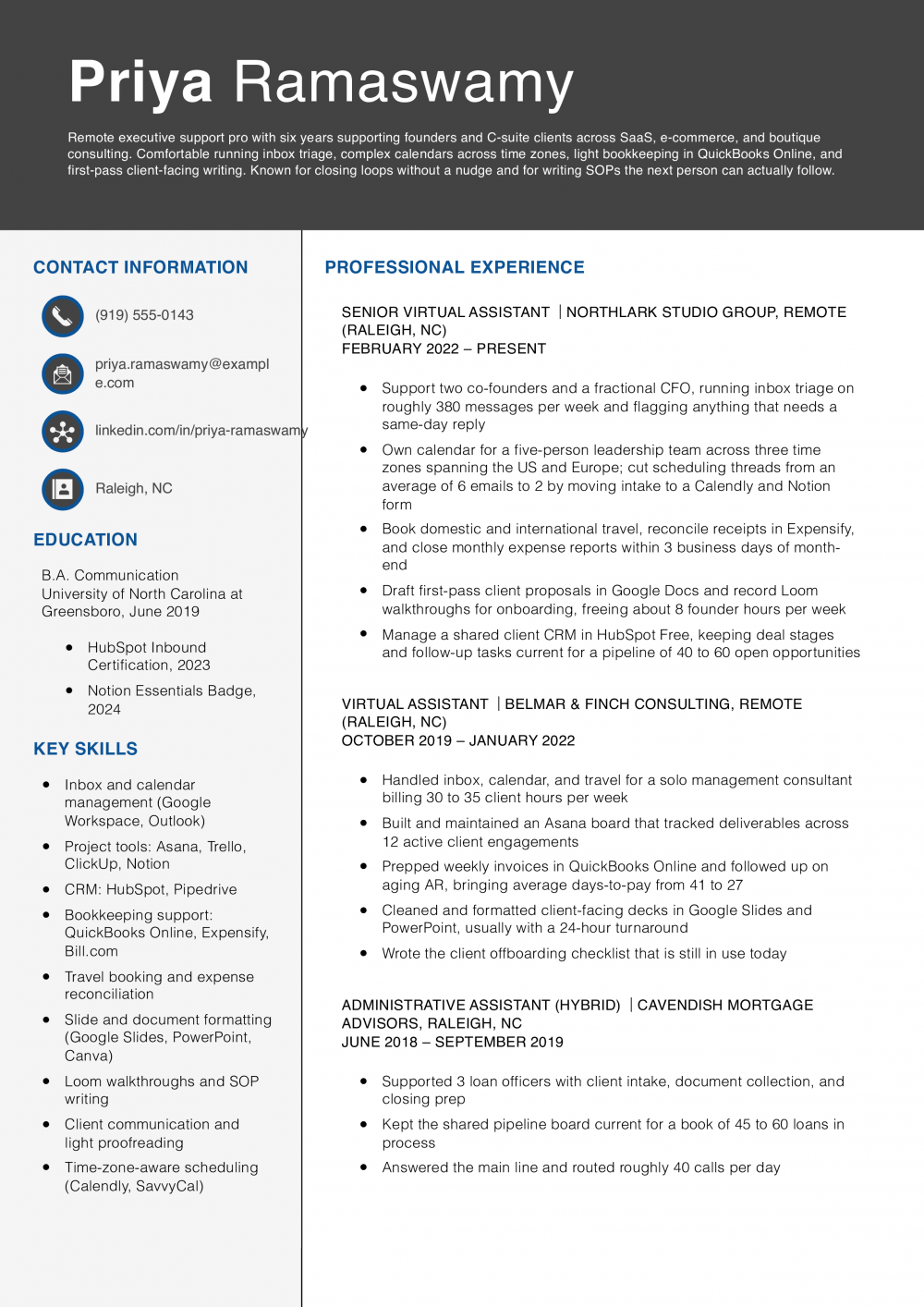
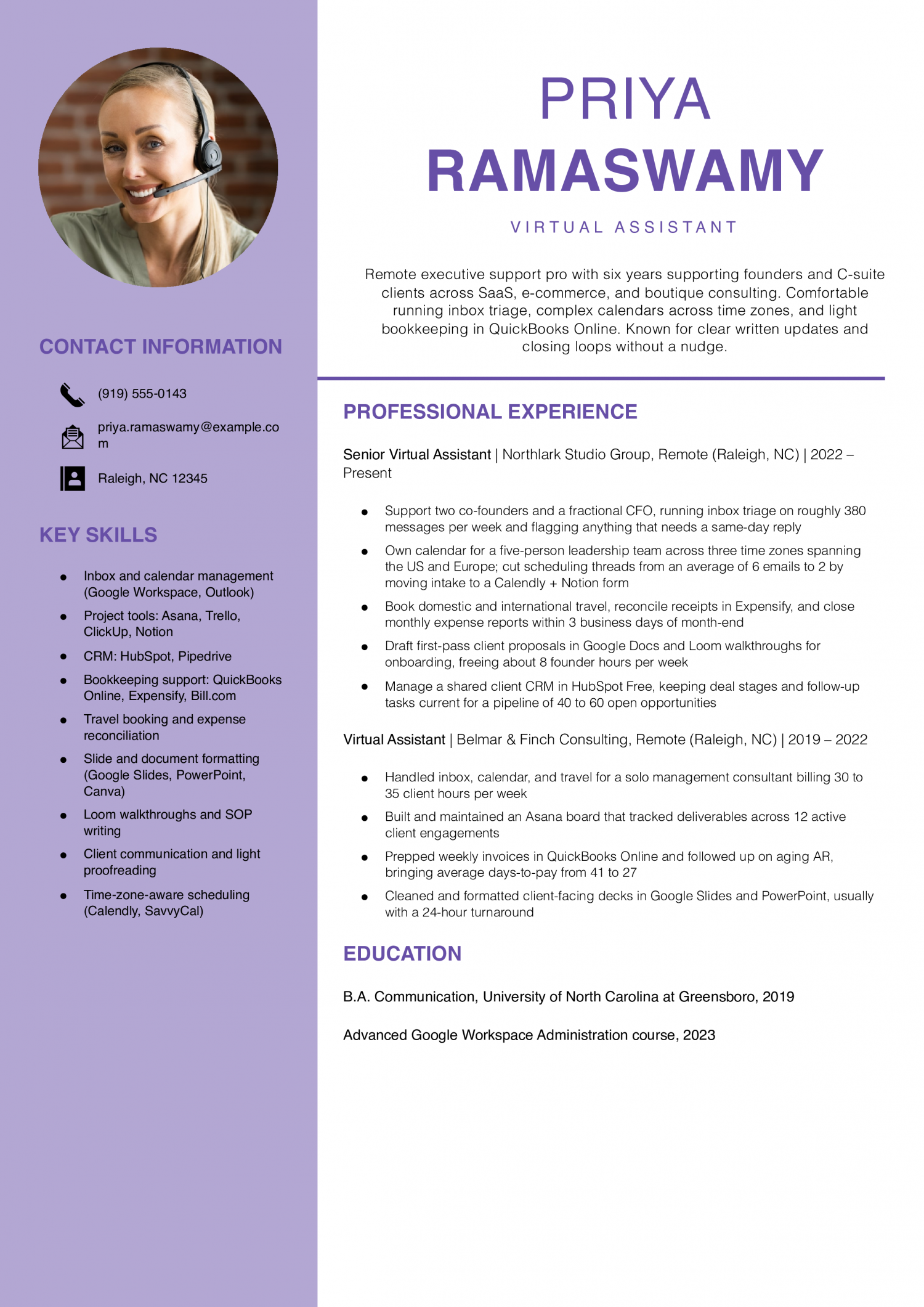
Priya Ramaswamy
Raleigh, NC | (919) 555-0143 | [email protected] | linkedin.com/in/priya-ramaswamy
Remote executive support pro with six years supporting founders and C-suite clients across SaaS, e-commerce, and boutique consulting. Comfortable running inbox triage, complex calendars across time zones, light bookkeeping in QuickBooks Online, and first-pass client-facing writing. Known for closing loops without a nudge and for writing SOPs the next person can actually follow.
Senior Virtual Assistant
Northlark Studio Group | Remote (Raleigh, NC) | 2022-Present
Virtual Assistant
Belmar & Finch Consulting | Remote (Raleigh, NC) | 2019-2022
Administrative Assistant (Hybrid)
Cavendish Mortgage Advisors | Raleigh, NC | 2018-2019
Front Desk Coordinator (Part-Time, During School)
Greensboro Dance Conservatory | Greensboro, NC | 2016-2018
Lead with the one thing a business owner cannot find on a stock VA profile. Name a niche tool stack you run in your sleep, like ClickUp plus Dubsado for coaches. Or name a client vertical you know cold, like e-commerce shops on Shopify.
A second language, a podcast production workflow, or Kajabi course setup all work here too. Put this line right under your name, before the summary reads. Owners scanning fifty applicants are looking for a reason to stop scrolling.
Give them one concrete match to the work already sitting in their inbox. Save the general admin support language for the bullets underneath, where it belongs in context.
Owners hiring remote support scan for scope before they read duties. A strong bullet tells them how many inboxes you clear, how many clients you juggle, or how many hours a week you save the founder. Try lines like managed inboxes for three coaches averaging 200 emails a day.
Or scheduled 40 podcast guests across two shows in six months. Or cut founder calendar admin from ten hours a week to two. Bullets without a number tend to read as duties, and duties read as replaceable.
Pick two or three metrics per role that map to time saved, volume handled, or revenue touched. Round honestly. Estimates framed as approximate still beat vague verbs like assisted or supported.
Owners buy outcomes, not a laundry list of apps. Cluster your bullets under three to five service lines you actually deliver. Common groupings include inbox and calendar management, client onboarding and CRM upkeep, and social media scheduling.
Add project coordination in Asana, Trello, or Notion if that is your lane. Bookkeeping support in QuickBooks or Xero belongs in its own cluster, since it signals a different trust level. Course launches, webinar setup, and email funnel builds sit together as launch support.
Under each cluster, write two or three bullets that show the workflow end to end. This structure lets an owner match your resume to the job on their whiteboard in under a minute.
Business owners scan for tool fit before they read your work history. Build a page-one skills block that lists the platforms you run daily. Sort them by category: project management, CRM, email marketing, scheduling, bookkeeping, and design.
Name the actual tools, like Asana, HubSpot, ConvertKit, Calendly, QuickBooks, and Canva. Vague labels like tech savvy get skipped. If you hold a certification that matches the buyer, put it in the same block or a short credentials line beneath it.
HubSpot Academy, Google Workspace, Meta Blueprint, and Xero Advisor all read as trust signals. Owners hiring remote support cannot audit you in person, so visible proof of tool fluency early on lowers their perceived risk of a bad hire.
Keep the education section brief and near the bottom. Degree, school, and year is enough unless you finished in the last two years. If you are new to VA work, add one line naming coursework or a bootcamp tied to the service you sell.
Under education, a short client roster helps owners place you in their world. List three to five clients by industry and size, like solo business coach, seven-figure e-commerce brand, or two-person law firm. Skip client names if a past agreement bars you from sharing them.
A single testimonial line from a past client, kept under 20 words, can sit here too. This closing block turns an unknown remote hire into someone who has already done the work.
Five years ago, a Virtual Assistant resume read like a list of clerical duties. The mix has shifted toward software fluency and measured client outcomes. Calendar management now sits next to CRM tools and project platforms like Asana.
Business owners weigh hard skills first to confirm you can run their stack on day one. Soft skills such as discretion and written communication decide whether they trust you with inbox access. Owners hire remote support to buy back hours, so proof of self-direction matters.
Read the target job posting and mirror the exact tool names it uses. Swap generic terms for the platform the owner already runs, such as HubSpot or ClickUp. Treat the soft skills below as claims your bullets have to back with real examples.
Pair each one with a short result, like hours saved or response time cut. The two tables give you a starting vocabulary, not a finished list. Trim any skill you cannot defend in a first-round call.
| Soft Skills | AI-estimated % |
|---|---|
| Clear written communication | 72% |
| Client-facing professionalism | 65% |
| Proactive problem-solving | 43% |
| Remote self-management | 40% |
| Stakeholder coordination | 27% |
And here are the top hard skills showing up most often.
| Hard Skills | AI-estimated % |
|---|---|
| Calendar management | 65% |
| Database maintenance | 61% |
| Email correspondence | 48% |
| Electronic filing systems | 35% |
| Appointment scheduling | 25% |
Skill names and rankings come from an AI model grounded in U.S. Department of Labor occupation data for virtual assistants, not from a count of virtual assistants’ resumes built on ResumeTemplates.com.
Before a virtual assistant resume gets a closer read, hiring teams check for a short list of essentials.
Business owners scan a Virtual Assistant resume for proof of the exact work they need done. The words below tell you which trade terms belong on the page. Pick the row that matches your day. Executive support covers calendars, inboxes, and travel booking. Social media work covers posts, scheduling tools, and light design. E-commerce work covers listings, orders, and customer replies. Bookkeeping work covers invoices, receipts, and simple reports. Real estate support covers listings, showings, and client follow-up. Use the phrasing the trade uses, capitals and all. Drop in the two or three that match the posting. Leave off the rest so the page stays honest.
| Niche | Keywords ATS scans for |
|---|---|
| Executive support | calendar management, inbox triage, travel booking |
| Social media | content scheduling, Canva design, Hootsuite posting |
| E-commerce support | Shopify listings, order fulfillment, customer service |
| Bookkeeping support | QuickBooks entry, invoice processing, expense reconciliation |
| Real estate VA | listing input, CRM updates, showing coordination |
AI use on a Virtual Assistant resume can go three ways. You can lead with a hype line like “AI-powered executive support.” You can leave the topic off and answer questions live in the interview. Or you can describe the workflow the way it actually runs each week. The third path is what business owners and entrepreneurs hiring remote support can validate. Name the tool, the task and who reviews the output. Owners want to see that you draft with AI and still check the work. They also want to see that client data stays inside approved tools. Show judgment, not buzzwords, and the resume reads as honest.
AI drafts replies and sorts threads, but you still approve tone, facts and any client commitments before sending.
Assistants propose meeting times and agendas, and you confirm priorities, travel windows and buffer blocks against the owner's real week.
Chat tools pull background on leads and vendors, and you verify sources before the summary reaches the owner's desk.
AI produces first drafts of posts, captions and newsletters, and you edit for brand voice and factual accuracy.
Models turn loose notes into checklists, and you test each step in the real tool before publishing to the team.
The Bureau of Labor Statistics does not publish a wage code for Virtual Assistant specifically. The figures below come from the closest match, Secretaries and Administrative Assistants, Except Legal, Medical, and Executive (SOC 43-6014), so treat them as a general benchmark rather than an exact number for remote assistant work.
The top-paying states for virtual assistants are not clustered in the coastal tech hubs most remote workers assume. Pay leaders show up in smaller markets where remote-work demand outstrips the local talent pool, and business owners pay a premium to keep support in a nearby time zone. The employment picture is different again, with the highest headcounts sitting in large service economies where small firms and solopreneurs cluster.
That split matters for how you frame location. If you work remotely, lead with the time zones you cover and the client regions you have served. Name the states or metros of past clients so a business owner scanning your resume can see the fit.
| # | State | Median Annual |
|---|---|---|
| 1 | District of Columbia | $59,910 |
| 2 | Massachusetts | $57,940 |
| 3 | Washington | $57,330 |
| 4 | Connecticut | $57,210 |
| 5 | California | $55,400 |
| 6 | Rhode Island | $52,140 |
| 7 | Oregon | $51,740 |
| 8 | Minnesota | $51,400 |
| 9 | Hawaii | $50,830 |
| 10 | New Jersey | $50,260 |
| # | State | Workers | Median |
|---|---|---|---|
| 1 | California | 158,630 | $55,400 |
| 2 | Texas | 149,650 | $45,140 |
| 3 | New York | 122,490 | $49,600 |
| 4 | Florida | 104,000 | $45,900 |
| 5 | Illinois | 74,280 | $48,310 |
Resume Templates offers HR approved resume templates to help you create a professional resume in minutes. Choose from several template options and even pre-populate a resume from your profile.
Pull the admin, scheduling, and inbox work out of past jobs and reframe it as remote support. A retail lead who ran the schedule and answered vendor email has already done VA work.
Name the tools you used, list the hours you saved per week, and open with a summary that says who you help.
Include three to five short case studies showing the before state, what you built, and the time or money saved. Add sample calendars, redacted inbox rules, a standard operating procedure you wrote, and a Loom walkthrough of one workflow.
Link the portfolio in the header next to your email so an owner can open it in one click.
Group the clients under one heading called Virtual Assistant, then list each client as a sub-bullet with the industry, months worked, and the service you sold. A real estate broker gets inbox triage and showing coordination.
A course creator gets launch support and student email. This shows range without turning your resume into fifteen job entries.
Put agency work under the agency name with your title, then list the industries you supported as sub-bullets. Put direct contract work under a single Virtual Assistant heading with your city and remote noted.
Keeping the two shapes separate tells an owner whether you have handled a book of clients on your own.
Owners check whether the tools, the client industries, and the hours in the summary match the bullets underneath. A resume that claims Kajabi and ClickUp but names no course or project reads as padded.
Name the client type, the tool, and one number per bullet so an owner can picture the work and ask about it on a call.
Call it a resume for US and Canadian owners, since that is the word they search on job boards and in Upwork profiles. Call it a CV for UK, Irish, and most European clients, where CV is the standard word for a one to two page work history.
The file itself looks the same. Match the word the client uses in the posting.
Send a PDF named with your full name and the role, and put your time zone and working hours in the header under your email. Say plainly which hours you cover in Eastern or Pacific time so an owner does not have to do the math.
Add a short line in your summary about your overlap window and your invoicing setup.
For a virtual assistant, an ATS-friendly template is the safest pick, because it puts your certifications and experience where a hiring manager scans first. A basic template is a solid alternative. Whichever you choose, keep the formatting clean and easy to parse: clear section headings, a standard font, and no graphics a parser can choke on.