
Help Desk Resume Examples
Your profile should state your years on a service desk, the environment you support, and the ticketing system you live in. Name the user count, the operating systems, and whether you work tier 1, tier…
Every resume example is written and reviewed by our team of Certified Professional Resume Writers to ensure top-quality content and formatting.
Your ticket metrics tell the story before your interview does. Support managers and IT managers scan for first-call resolution rates and average handle time. They want proof you can troubleshoot across operating systems, networks, and ticketing tools like Zendesk or ServiceNow.
A strong technical support resume leads with those numbers and names the protocols you know, such as TCP/IP and DNS. Certifications like CompTIA A+ or ITIL 4 Foundation add weight at every level. The examples below show you how to put all of this on the page. To compare layouts before you start, browse our resume templates.
Ticket volume with resolution rates, a visible CompTIA A+ or Network+ credential and documented experience in a specific ticketing platform are what separate the technical support resumes that support managers schedule for interviews from the rest.
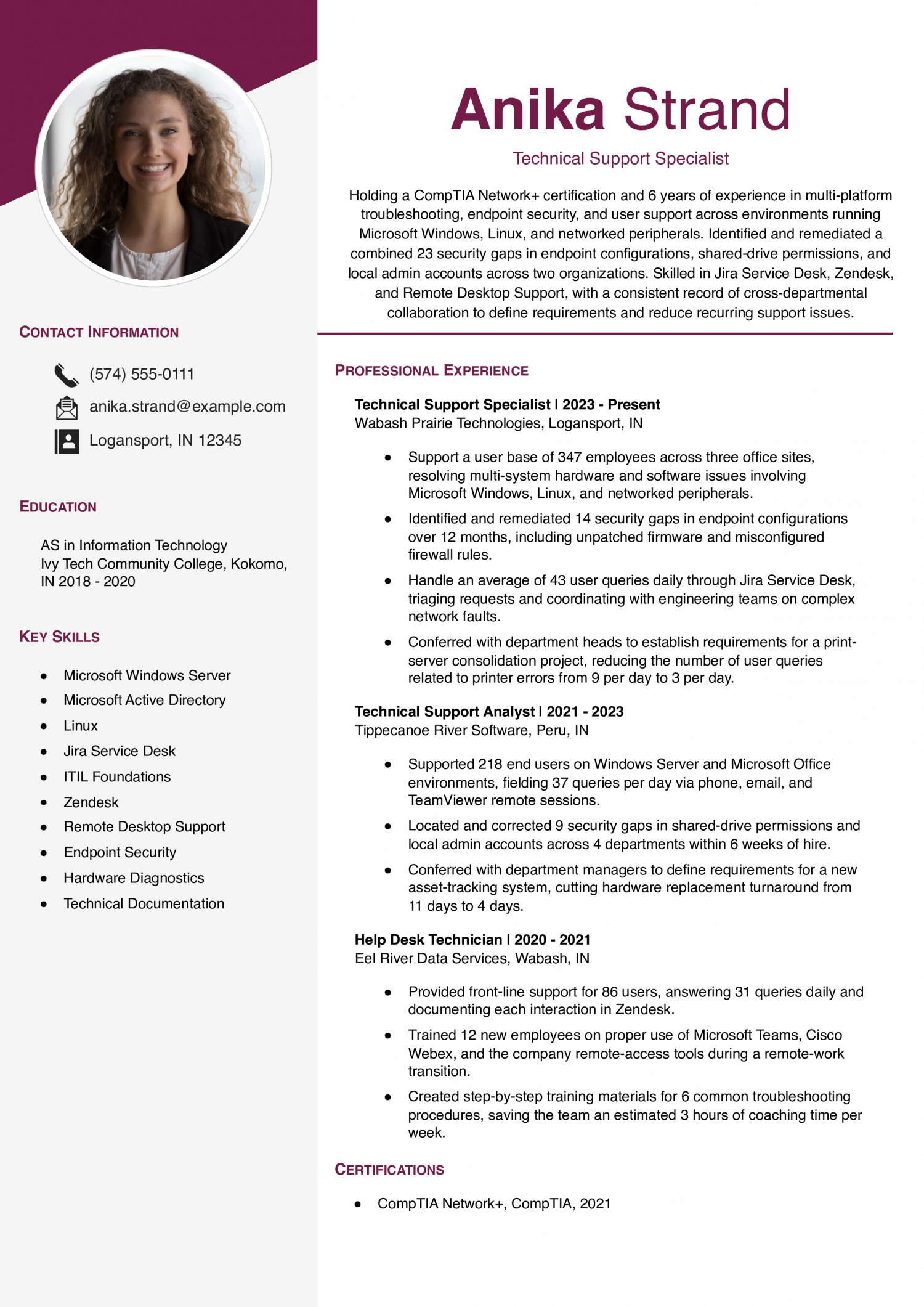
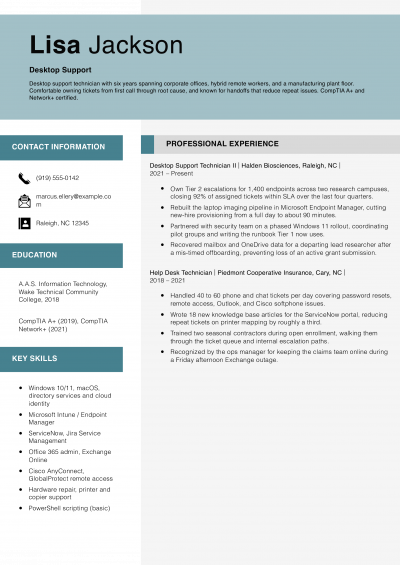
Pick this resume if you are a mid-level technical support specialist with about six years of help desk and endpoint security experience. Drop generic duty lists and instead pair each stakeholder meeting with the operational metric it moved.
Audit work here names endpoint gaps and the period reviewed. That helps a reader judge how much ground the review covered. For your own security reviews, give the count of gaps and the months you covered.
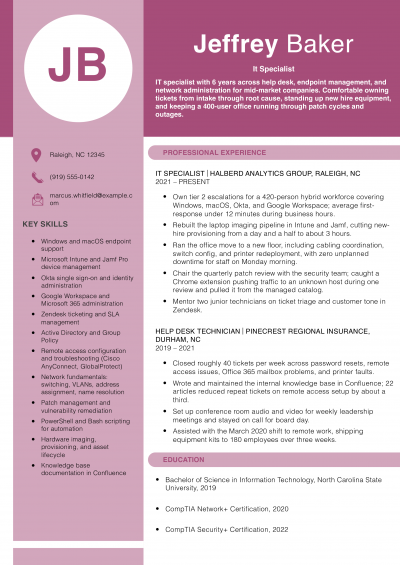
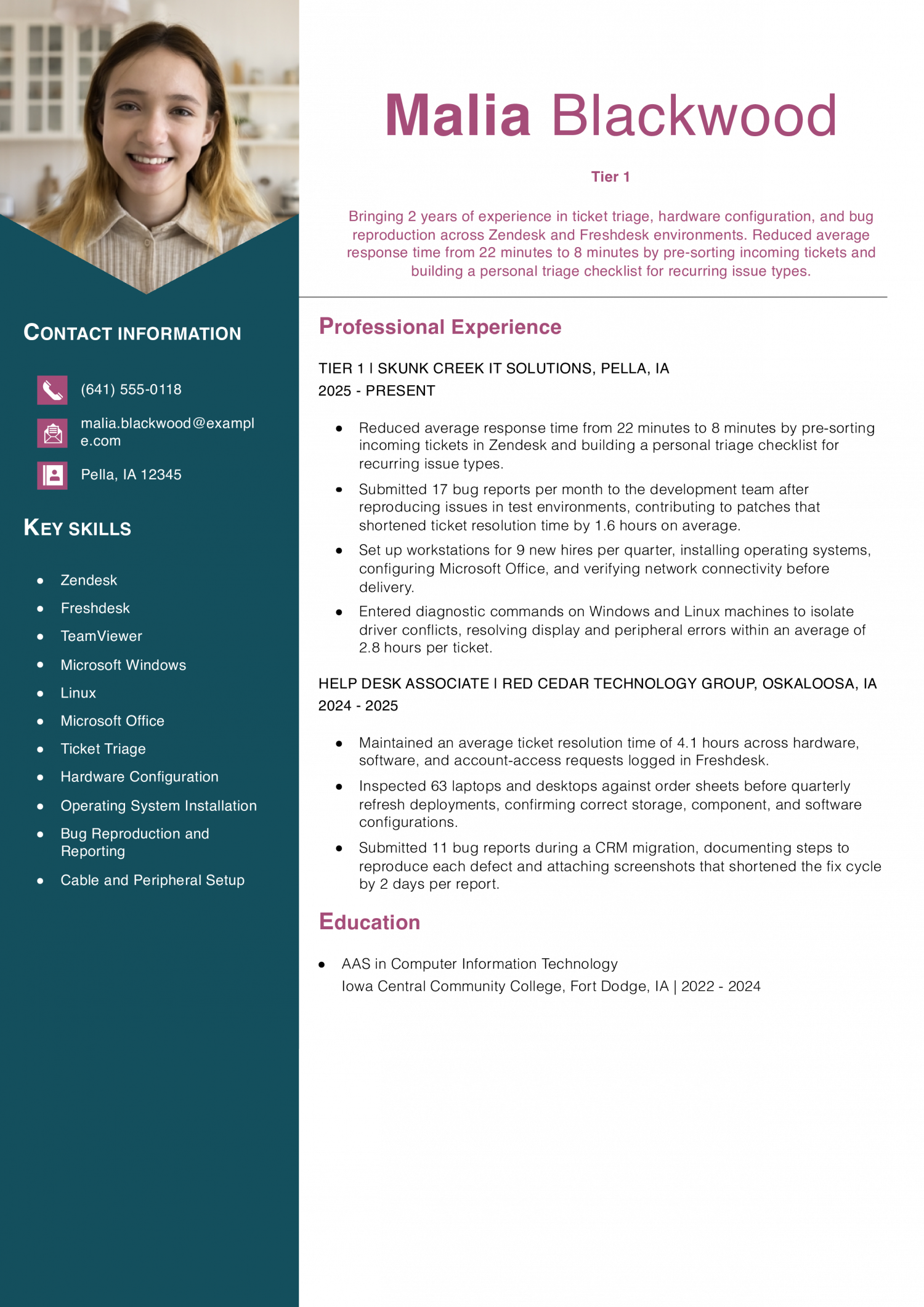
Start with this resume if you are an entry-level Tier 1 support technician beginning your first or second IT role. Fit a bug-reporting count into each position so readers see you contribute beyond closing tickets.
This resume ties a workstation count to a quarterly schedule and names the setup steps for each machine. A reviewer reading that can picture the workload over a full year. For your own setup work, say how many machines and how often.
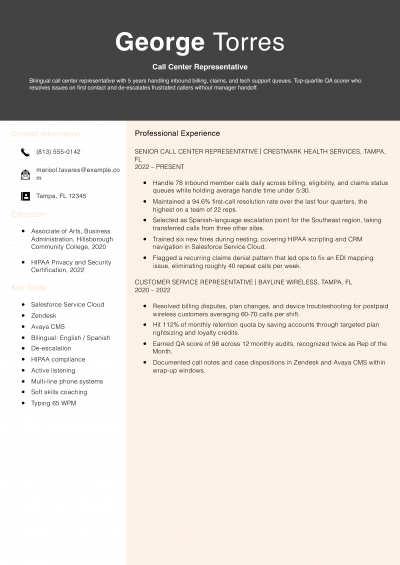
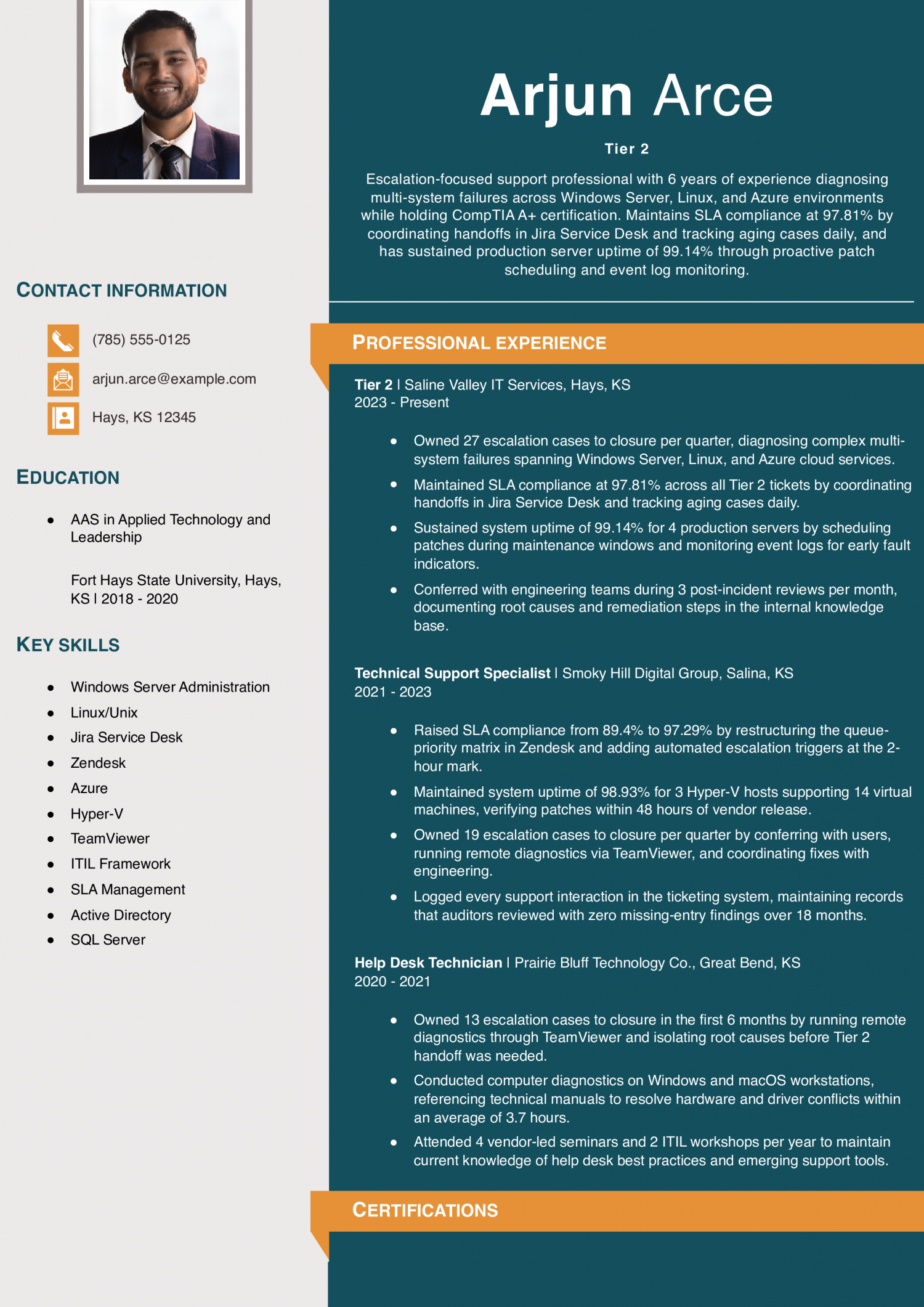
Try this resume if you are a mid-level escalation support professional with around six years of diagnostic and infrastructure experience. Frame each role's SLA compliance figure alongside the specific tool and workflow that produced it.
Monthly incident reviews and the causes and fixes recorded in a knowledge base are all named here. A hiring manager can see how often the reviews happen and what they produce. Describe your own reviews with those details.
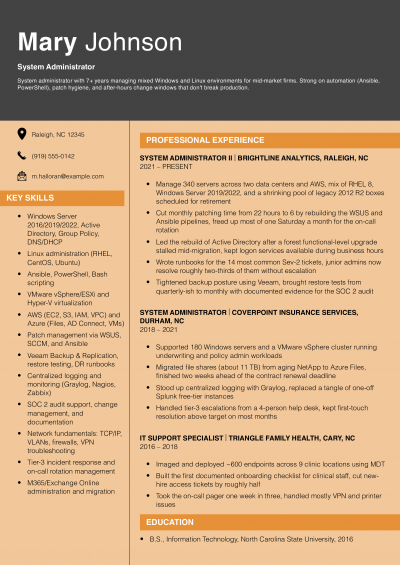
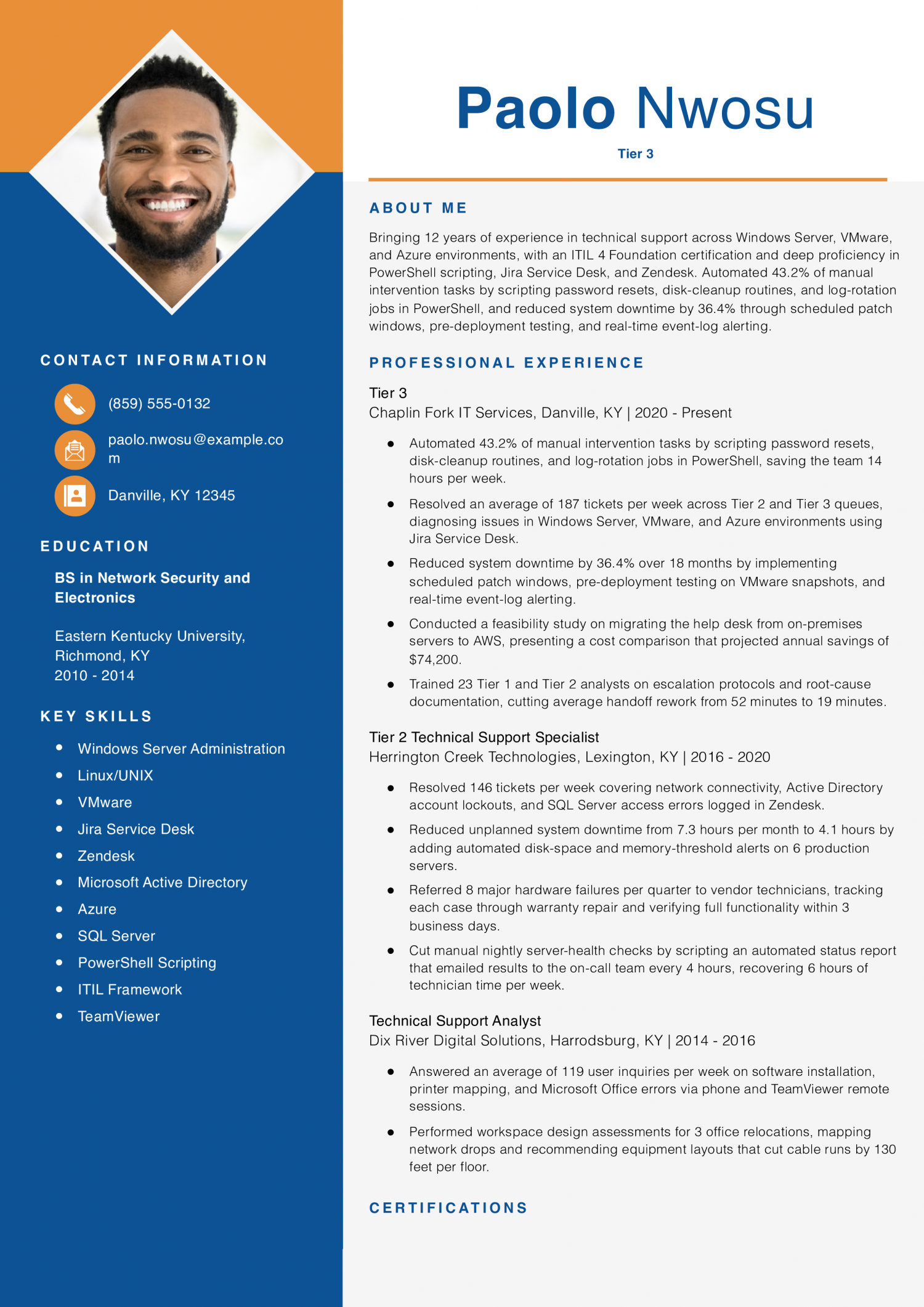
Lean on this resume if you are a senior Tier 3 support specialist with roughly twelve years of escalation and infrastructure experience. Headline your automation savings in the opening bullet so readers see operational impact before anything else.
Every task the scripts took over is named here: password resets, disk cleanup, and log rotation, alongside the weekly hours they freed. A reader can see exactly what changed. Without those details, “automated tasks” is too vague to act on. Name the tasks and the time saved in your own bullets.
Experienced in hardware diagnostics, connectivity troubleshooting, and user support across multi-site environments over 6 years, with consistent customer satisfaction scores above 88 in every role. Decreased user-reported incidents by 23.6% by analyzing recurring failure patterns in Jira Service Desk and replacing aging peripherals, while building structured diagnostic workflows in Zendesk to reach an 87.6% first-contact resolution rate.
Open with your years in support, the tier you work at, and the environment you know best. A Tier 1 help desk role in a SaaS company looks different from a Tier 3 escalation seat at an MSP.
Name the one you want next. State the ticket volume you handle per day or week. Mention the operating systems you support most often.
If you focus on hardware, say so in the first line. If you focus on remote desktop tools, say that instead. Support managers and IT managers scan this section in about six seconds.
Make those seconds count by leading with your scope, not a vague trait.
Most strong technical support resumes include clear metrics. Start with ticket volume per shift or per month. Then add your first-call resolution rate as a percentage.
Average handle time matters too, so list it in minutes. You can also track escalation reduction over a quarter, and customer satisfaction scores work well if your team surveys end users.
Even uptime figures for systems you maintained tell a story. Pick the two or three numbers that best fit each role you held. Place the metric near the start of the bullet so it stands out during a quick scan.
A good rule is one number per bullet at a minimum.
Break your experience into areas that match the job posting. One group covers troubleshooting, such as diagnosing network drops and printer failures. A second group covers account administration, like password resets and access provisioning.
A third covers hardware support, including imaging laptops and replacing components. You can add a fourth group for documentation if you write knowledge base articles. Keep each bullet under one category so the reader does not have to guess.
This grouping helps support managers and IT managers see your depth at a glance. It also keeps your resume from reading like a flat task list with no structure.
Add your certifications on page one, right below your profile. Write each one on its own line and name who issued it. CompTIA A+ and CompTIA Network+ are the two most recognized entry and mid-level credentials in this field.
ITIL 4 Foundation, issued by PeopleCert, signals that you understand service management frameworks. Support managers and IT managers often filter applicants by certification before reading bullets. Putting these items below the fold or on page two risks them being missed.
If you hold a state or vendor license, note that it is in good standing. Software skills like Active Directory and ticketing platforms such as ServiceNow belong in a separate tools section nearby.
Place your education section after your work history. Note your degree, school, and graduation year. An associate or bachelor’s degree in IT or a related field is common, but requirements vary by employer.
If you lack a degree, lead with your certifications and relevant coursework instead. Include any vendor training programs you completed, such as OS-specific boot camps. Support managers and IT managers value hands-on labs and homelab projects too, so note them here.
A brief projects line can highlight a network you built or a system you repaired on your own. Keep this section short. Three to five lines give enough detail without pushing your resume past one page.
Five years ago, a technical support resume read like a list of hardware brands. The mix has shifted toward ticketing metrics and root cause methods. Soft skills like active listening now appear more often too.
Support managers and IT managers weigh hard skills to gauge your tool knowledge. They check soft skills to predict how you handle frustrated users. A strong remote desktop entry shows you can resolve issues without a site visit.
Patience signals that you stay calm during long calls. Cross-reference each table against the job posting you plan to target. Pull the exact phrasing the posting uses into your bullet points.
Treat soft skills as claims you must back with short result statements. If the posting names a tool you have used, list it in the same form. If it asks for empathy, pair that word with a metric or outcome.
This approach helps your resume match the filters most ATS platforms run.
| Soft Skills | AI-estimated % |
|---|---|
| Patience with users | 77% |
| Calm under pressure | 55% |
| Active listening | 40% |
| Cross-team escalation | 39% |
| Adaptability | 25% |
And here are the top hard skills showing up most often.
| Hard Skills | AI-estimated % |
|---|---|
| Help desk troubleshooting | 74% |
| Hardware diagnostics | 50% |
| Software installation support | 45% |
| Ticket queue management | 35% |
| Remote desktop assistance | 33% |
Skill names and rankings come from an AI model grounded in U.S. Department of Labor occupation data for technical support specialists, not from a count of technical support specialists’ resumes built on ResumeTemplates.com.
AI skills come first in the sections below.
Support managers are split on AI in the ticket queue. Some want agents who use AI to triage and draft replies faster. Others worry that AI responses miss the real problem.
Name the tools you use on your resume. Describe how you check each output before it reaches a user. Do not claim you “automate support with AI” if your actual work is reviewing suggested replies.
Honest framing builds trust. It also shows you understand where AI helps and where it fails. Support managers and IT managers will verify your claims during interviews.
What AI is actually changing for this role
Ticket triage: AI models now tag priority, category, and routing before a human agent reads the ticket.
Knowledge base: Generative search tools surface relevant articles so agents spend less time hunting for solutions.
Response drafting: AI suggests reply templates based on ticket content, but agents must verify accuracy before sending.
Root cause analysis: Pattern detection tools cluster similar incidents so support teams spot recurring failures sooner.
AI tools to name
How to phrase AI on your resume
Do
Skip
Support managers and IT managers scan for tools fast. A tech stack list lets them check your skills. It groups your tools by type in one place.
A help desk role and basic tech skills keep you eligible for most postings. The credentials below move a Technical Support resume from the qualified pile into the shortlist. Support managers and IT managers scan them to gauge your troubleshooting depth.
They also use them to sort you by support tier. Each one proves a specific skill set that is hard to show with work history alone. Certified techs often handle escalations faster, which is a pattern hiring teams notice.
List each credential with its issuing body and the date you passed. Add the level you earned if the cert has more than one tier. Place the section after your skills block so it sits near related content.
If a credential is in progress, note the expected completion date so the reader sees your timeline.
Technical Support falls under the BLS category of Computer User Support Specialists, a broad group with large national employment. That size means the median pulls in a long tail of entry-tier and help-desk-only variants.
Workers at the 90th percentile out-earn those at the median by roughly 63 percent. The 10th percentile sits about 34 percent below it. Geographic pay gaps add another layer, so check the state tables for your market.
To stand out, lead your resume with the ticket volume you handle and the specific platforms you support.
| # | State | Median Annual |
|---|---|---|
| 1 | District of Columbia | $80,950 |
| 2 | California | $79,570 |
| 3 | Washington | $75,220 |
| 4 | Massachusetts | $75,070 |
| 5 | New York | $72,560 |
| 6 | Colorado | $71,900 |
| 7 | Connecticut | $70,210 |
| 8 | Wyoming | $65,100 |
| 9 | Virginia | $65,040 |
| 10 | Maryland | $64,750 |
| # | State | Workers | Median |
|---|---|---|---|
| 1 | California | 74,490 | $79,570 |
| 2 | Texas | 72,030 | $59,490 |
| 3 | Florida | 51,220 | $58,740 |
| 4 | New York | 39,100 | $72,560 |
| 5 | Pennsylvania | 30,560 | $58,670 |
Resume Templates offers HR approved resume templates to help you create a professional resume in minutes. Choose from several template options and even pre-populate a resume from your profile.
Replace the phrase with a specific action verb and a measurable outcome. Write something like "Resolved 40+ tickets daily for a 200-seat office." You could also try "Troubleshot Active Directory and network issues for remote staff."
Concrete details tell support managers and IT managers what you actually did.
List the exact tools and platforms you use, not broad categories. Good entries include Active Directory, Windows Server, and macOS. Also name your ticketing system, such as ServiceNow or Jira Service Management.
Read the job posting first and mirror the terms it uses. Many employers filter resumes by keyword before a person reads them.
A help desk resume highlights remote troubleshooting, phone queues, and ticket volume. A desktop support resume focuses on hands-on hardware repair, imaging, and on-site visits.
Tailor your bullet points to match the type of support the posting describes. Support managers and IT managers notice the difference right away.
Yes, especially if you are early in your career and lack other IT work history. Support roles show you understand end-user issues, logging, and system architecture.
Frame each bullet around a skill that transfers, such as scripting or writing automation tools.
One page is usually enough when you have fewer than 10 years in support. A second page is reasonable when you have a long career with varied tiers of support.
Keep every bullet tied to a result or a skill the posting asks for. Cut older roles down to two or three lines.
List the gap period honestly and note any relevant activity during that time. Home lab projects, freelance troubleshooting, or volunteer IT work all count.
Support managers and IT managers care more about current skills than a perfect timeline.
Yes, because contract roles are common in technical support. Most IT managers expect to see them on a resume.
List the client company as the workplace and note the staffing agency in parentheses. Use the same bullet format you would for a permanent role, with metrics and tools named.
Set up an ATS-friendly template so your CompTIA credentials and support metrics sit in separate sections. A basic template works for support roles too.
Technical Support Resume
4.5/5 stars with 175 reviews

Executive Resume Writer and Career Coach
Andrew Stoner is an executive career coach and resume writer with 17 years of experience as a hiring manager and operations leader at two Fortune 500 Financial Services companies, and as the career services director at two major university business schools.
© 2026 Resumetemplates.com All rights reserved.