


ResumeTemplates.com LOGO
  • Resume Templates
      TOP RESUME TEMPLATES
    • College
    • Combination
    • Stylish
    • Technology
    • Minimalist
    • Functional
    • Professional
    • Google Docs
    • Hybrid
    • ATS Friendly
    • Chronological
    • Microsoft Word
    • Traditional
    • Creative
    • Basic
    • General
    • Skills Based
    • Modern
    • Use our free resume templates tool
      Examples of resumes in our free resume builder tool

      When choosing a resume template, the priority should be a clean, professional look that can focus on your career accomplishments.

      Build My Resume
      View all 100+ Resume Templates
  • Resume Builder App
  • Resume Examples
      TOP RESUME EXAMPLES
    • Software Engineer
    • Registered Nurse
    • Sales
    • Customer Service Representative
    • Software Developer
    • Accountant
    • Coaching Resume
    • Product Manager
    • Teacher
    • Medical Assistant
    • Information Technology
    • Project Manager
    • Administrative Assistant
    • Bartender
    • Use our free resume templates tool
      Examples of resumes in our free resume builder tool

      When choosing a resume template, the priority should be a clean, professional look that can focus on your career accomplishments.

      Build My Resume
      View all 100+ Resume Examples
  • Resources
      Top Resources
    • Adding Your Writing Skills on a Resume
    • Bartender Job Description for a Resume
    • Best Resume File Formats
    • Effective Communication Skills for Resume With Examples, Tips, and Guide
    • Functional vs. Chronological Resume
    • Google Docs Resume Templates
    • Hobbies and Interests for Resumes
    • How Far Back Should a Resume Go?
    • How Much Does a Resume Builder Cost?
    • How To Demonstrate Organizational Skills
    • How To Edit a Resume Template in Word
    • How To Include Salary Requirements in Resumes
    • How To Insert a Picture in a Google Doc Resume Template
    • How to List Projects on a Resume
    • How To List Your Education on a Resume
    • How To Make a Resume
    • How To Make a Resume With No Job Experience
    • How to Make Your Resume Stand Out and Land Your Dream Job
    • How To Nail an Impressive Beginner Resume Summary
    • How To Present Your Accomplishments on a Resume
    • How To Say You’re a Quick Learner on Your Resume
    • How To Say You’re a Subject Matter Expert on a Resume
    • How To Upload Your Resume to Indeed
    • How To Write a Business Resume
    • How To Write a Cover Letter for a Resume
    • How To Write an Impressive Resume With Only One Job
    • How To Write a Resume Summary
    • How To Write a Student Resume
    • How To Write an Address on One Line
    • Key Skills Examples for Your Resume
    • Listing Udemy Certificates on a Resume
    • Make a Resume in Microsoft Word
    • Putting Coursera Certificates on a Resume
    • Resume Buzzwords and Cliches To Avoid
    • Resume Header Examples
    • Resume Icons, Logos, and Symbols
    • Resume Introduction And Intro Paragraph Examples
    • Resume Objective Examples
    • Resume Punctuation
    • Resume Vs. Curriculum Vitae
    • Should I Put My GPA on My Resume And How To List It
    • Summary of Qualifications for a Resume
    • The Best Color for Your Resume
    • The Complete Guide To Listing a U.S. Military Address on Your Resume
    • Types of Resume Templates
    • What Resume Template Do Employers Prefer?
    • What Template Should I Use for a Federal Resume?
    • What To Put on a Resume
    • Where To Find Free Resume Templates
    • Where To Post Your Resume for Remote Work
    • Write a Resume With No Experience
    • See all Resources
  • Research
      RESEARCH
    • 4-Day Work Week Survey
    • AI Hiring Survey
    • AI Lay Off Survey
    • AI Manager Survey
    • ChatGPT and Skill Assessments
    • ChatGPT Competence Survey
    • ChatGPT Contributes to Raises
    • Companies Increase In-Office Days
    • Companies Offer Lower Salaries YoY
    • Companies Reduce Salaries and Benefits
    • Companies Replace Workers With AI
    • DEI Survey
    • Employee Coffee-Badging
    • Employee Layoffs
    • Gen Z Interview Survey
    • Gen Z Worker Parents Survey
    • Hard and Soft Skills Hiring Survey
    • Hiring Managers Favor AI Skills
    • Hiring Managers Pass on Bad Resumes
    • Hiring Report
    • Listing Pronouns on Resumes
    • Lying on Resumes
    • Manager Gen Z Survey
    • Rehiring Workers Survey
    • See All Research Reports
  • Resources
      Top Resources
    • How To Fill Out A Resume Template
    • Guides and AdviceRESEARCH
    • Adding Your Writing Skills on a Resume
    • Bartender Job Description for a Resume
    • Best Resume File Formats
    • Effective Communication Skills for Resume With Examples, Tips, and Guide
    • Functional vs. Chronological Resume
    • Google Docs Resume Templates
    • Hobbies and Interests for Resumes
    • How Far Back Should a Resume Go?
    • How Much Does a Resume Builder Cost?
    • How To Demonstrate Organizational Skills
    • How To Edit a Resume Template in Word
    • How To Include Salary Requirements in Resumes
    • How To Insert a Picture in a Google Doc Resume Template
    • How to List Projects on a Resume
    • How To List Your Education on a Resume
    • How To Make a Resume
    • How To Make a Resume With No Job Experience
    • How to Make Your Resume Stand Out and Land Your Dream Job
    • How To Nail an Impressive Beginner Resume Summary
    • How To Present Your Accomplishments on a Resume
    • How To Say You’re a Quick Learner on Your Resume
    • How To Say You’re a Subject Matter Expert on a Resume
    • How To Upload Your Resume to Indeed
    • How To Write a Business Resume
    • How To Write a Cover Letter for a Resume
    • How To Write an Impressive Resume With Only One Job
    • How To Write a Resume Summary
    • How To Write a Student Resume
    • How To Write an Address on One Line
    • Key Skills Examples for Your Resume
    • Listing Udemy Certificates on a Resume
    • Make a Resume in Microsoft Word
    • Putting Coursera Certificates on a Resume
    • Resume Buzzwords and Cliches To Avoid
    • Resume Header Examples
    • Resume Icons, Logos, and Symbols
    • Resume Introduction And Intro Paragraph Examples
    • Resume Objective Examples
    • Resume Punctuation
    • Resume Vs. Curriculum Vitae
    • Should I Put My GPA on My Resume And How To List It
    • Summary of Qualifications for a Resume
    • The Best Color for Your Resume
    • The Complete Guide To Listing a U.S. Military Address on Your Resume
    • Types of Resume Templates
    • What Resume Template Do Employers Prefer?
    • What Template Should I Use for a Federal Resume?
    • What To Put on a Resume
    • Where To Find Free Resume Templates
    • Where To Post Your Resume for Remote Work
    • Write a Resume With No Experience
    • Research
    • 4-Day Work Week Survey
    • AI Hiring Survey
    • AI Lay Off Survey
    • AI Manager Survey
    • ChatGPT and Skill Assessments
    • ChatGPT Competence Survey
    • ChatGPT Contributes to Raises
    • Companies Increase In-Office Days
    • Companies Offer Lower Salaries YoY
    • Companies Reduce Salaries and Benefits
    • Companies Replace Workers With AI
    • DEI Survey
    • Employee Coffee-Badging
    • Employee Layoffs
    • Gen Z Interview Survey
    • Gen Z Worker Parents Survey
    • Hard and Soft Skills Hiring Survey
    • Hiring Managers Favor AI Skills
    • Hiring Managers Pass on Bad Resumes
    • Hiring Report
    • Listing Pronouns on Resumes
    • Lying on Resumes
    • Manager Gen Z Survey
    • Rehiring Workers Survey
    • Resources
    • See all Resources
  • My Account
  • Use our free resume templates tool
    Examples of resumes in our free resume builder tool

    When choosing a resume template, the priority should be a clean, professional look that can focus on your career accomplishments.

Build My Resume
Build My Resume
Home / Resume Examples / 4 Best Desktop Support Resume Examples and Templates for 2026

4 Best Desktop Support Resume Examples and Templates for 2026

Andrew Stoner
By Andrew Stoner
Andrew Stoner
Executive Resume Writer and Career Coach linkedin
Andrew Stoner
, Executive Resume Writer and Career Coach
Last Updated: October 22, 2026

Every resume example is written and reviewed by our team of Certified Professional Resume Writers to ensure top-quality content and formatting.

Desktop support hiring has shifted with remote endpoints, so ticket volume alone no longer sells you. What sets you apart is proof you closed tickets fast in tools like ServiceNow or Jira, and kept end users working through OS patches and Active Directory changes.

IT managers and support team leads scan for named ticketing systems, imaging tools like Intune, and first-call resolution rates. They also want signs you can write clear runbooks and hand off cleanly to network or security teams.

The examples below show how to frame those wins for a level one role, a senior tech seat, or a lead spot with 90th percentile pay near $100,540.

Featured Example

Build your Desktop Support resume

Customize this template in our builder in under 10 minutes.

Build my resume
Excellent Excellent
4.7 STARS on 4.7 STAR
flash image Get the 2x more job offers*
On this page
On this page
  • Desktop Support Resume Examples
    • Featured Example
    • Tier 1 Help Desk Technician Example
    • Desktop Support Technician Example
    • Senior Desktop Support Technician / IT Support Lead Example
    • Text Version Desktop Support
  • How to Write a Desktop Support Resume
  • Most Popular Skills on Desktop Support Resumes for 2026
  • Must Have on a Desktop Support Resume
  • Latest BLS Statistics for Desktop Support Technicians
  • Frequently Asked Questions
linkedin
twitter
facebook

Desktop Support Resume Examples

Featured Example

Featured Example
PDF
DOCX
Use This Template

Why this resume works

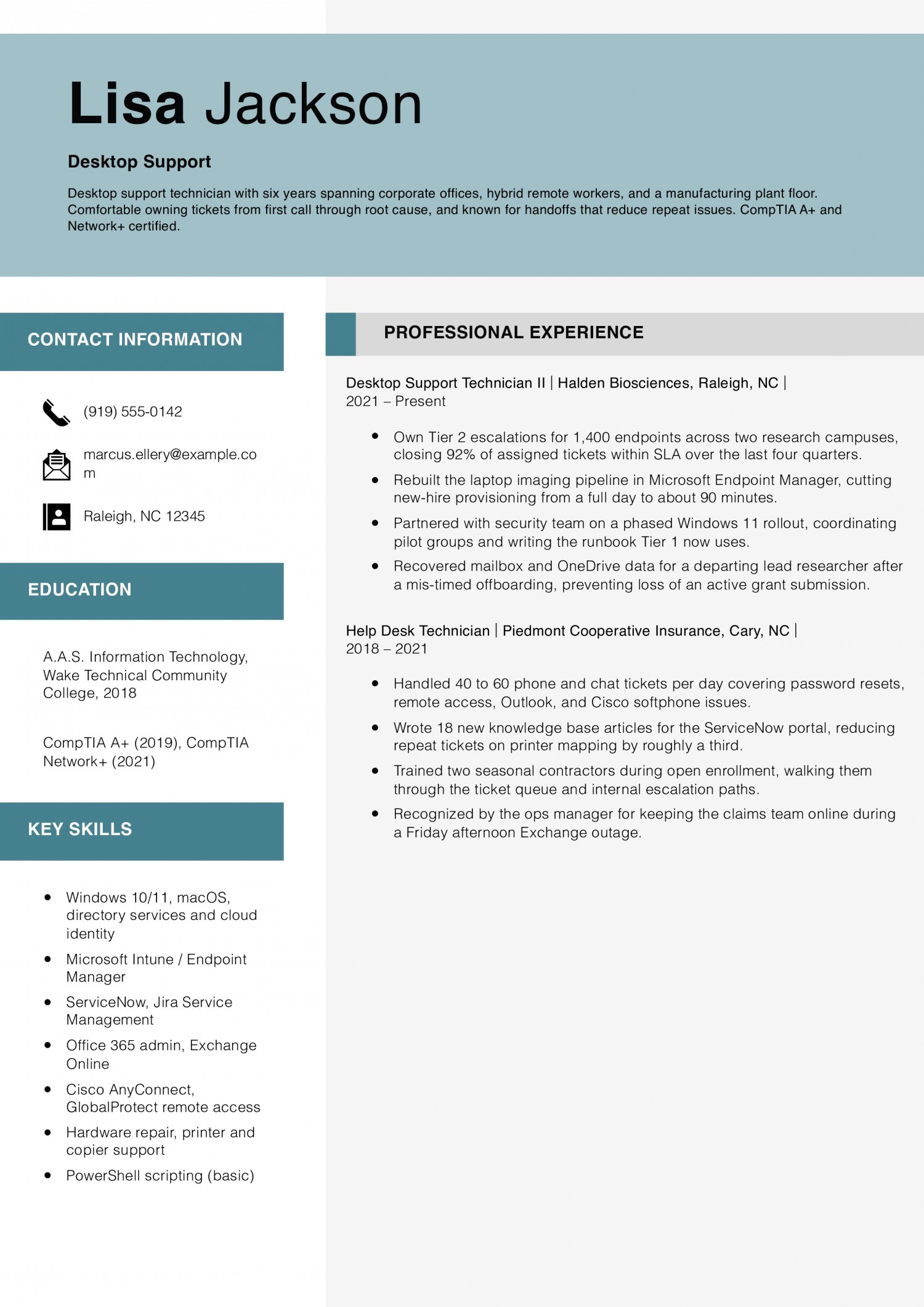
  • Concrete SLA numbers: The 92% close-within-SLA figure is the kind of stat a hiring manager can verify in a reference call, which makes the rest of the resume more believable.
  • Shows growth from Tier 1 to Tier 2: The two jobs are stacked so a reader can see the technician has actually done the phone-queue work before owning escalations.
  • A save story that matters: The recovered researcher mailbox bullet gives a real example of judgment under pressure without inflating it into a heroics story.
Jump to a separate text resume example ↓

Tier 1 Help Desk Technician Example

This resume is for a Tier 1 Help Desk Technician new to the field or moving in from a related support role. It has to prove you can triage tickets, reset accounts, and close common issues on first contact.

Tier 1 Help Desk Technician Example
PDF
DOCX
Use This Template

Why this resume works

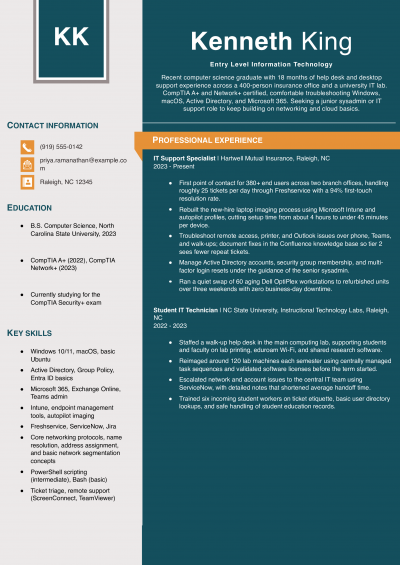
  • Honest scope for an entry role: The bullets describe Tier 1 work at Tier 1 depth, without pretending to own systems or projects a student worker would not touch.
  • A cert that is in progress, stated correctly: Listing Core 1 as passed and Core 2 as scheduled tells a hiring manager exactly where the candidate stands on A+.
  • Transferable retail experience: The Apple Store job shows practice talking to non-technical customers, which is most of what a help desk shift actually is.

Desktop Support Technician Example

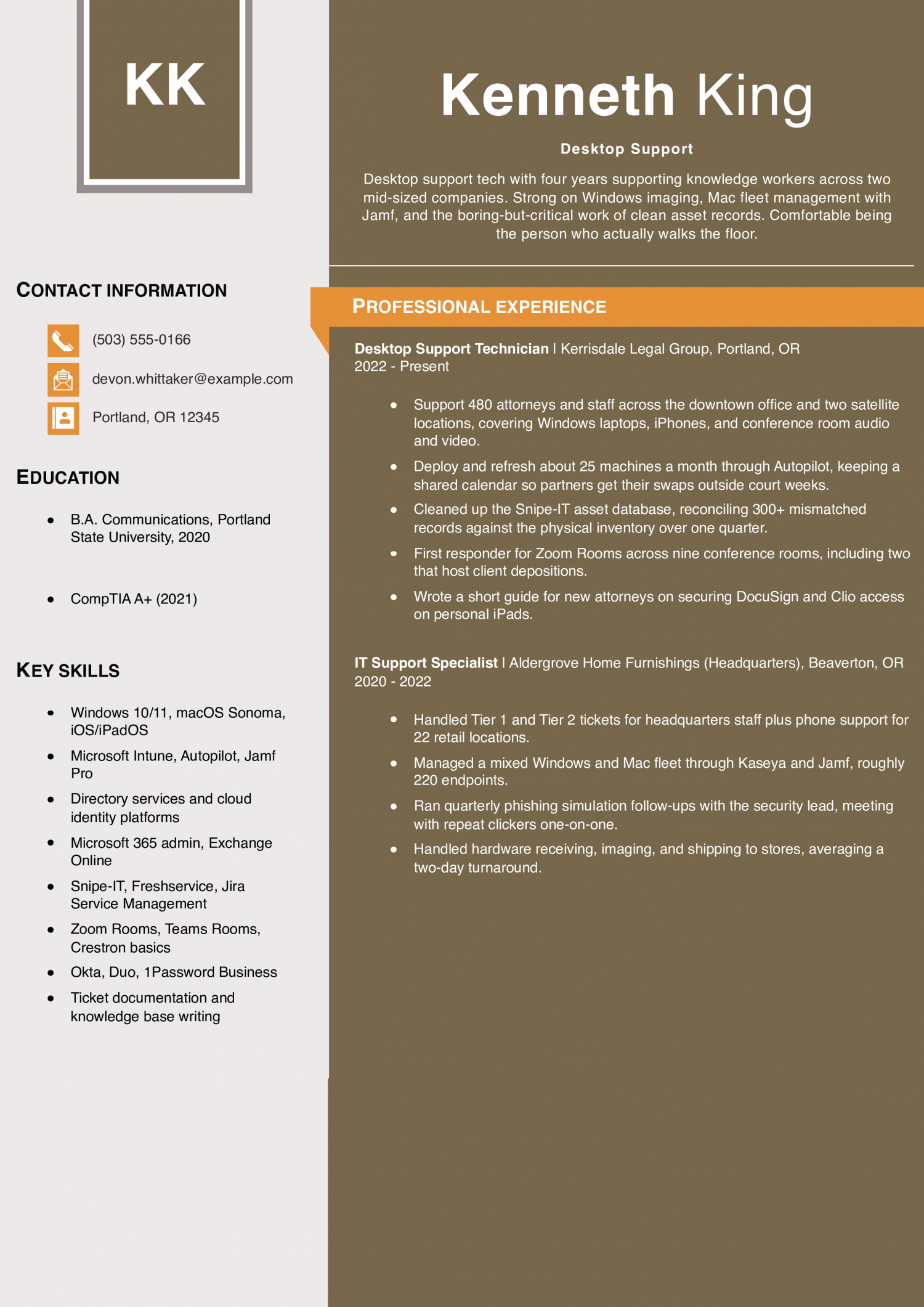
This resume is for a Desktop Support Technician who owns hardware, software, and imaging work across a floor or site. It has to prove you handle escalations from Tier 1, cut ticket backlogs, and support users in person and remotely.

Desktop Support Technician Example
PDF
DOCX
Use This Template

Why this resume works

  • One clear scope number: Saying 480 attorneys and staff plus a satellite count gives a hiring manager a real sense of ticket volume without padding.
  • Mix of Mac and Windows: Jamf plus Intune plus Autopilot together signal this candidate can walk into most modern hybrid environments and be useful in week one.
  • Boring work called out on purpose: The asset cleanup bullet shows a willingness to do the grunt work that senior techs actually value on a Tier 2 hire.

Senior Desktop Support Technician / IT Support Lead Example

This resume is for a Senior Desktop Support Technician or IT Support Lead who guides a team and owns the hardest tickets. It must prove you mentor Tier 1 and Tier 2 staff and improve daily support.

Senior Desktop Support Technician / IT Support Lead Example
PDF
DOCX
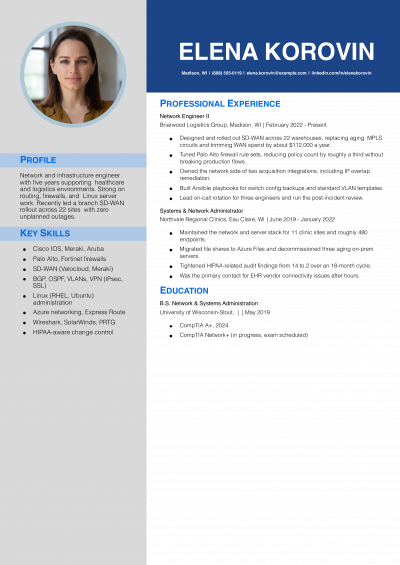
Use This Template

Why this resume works

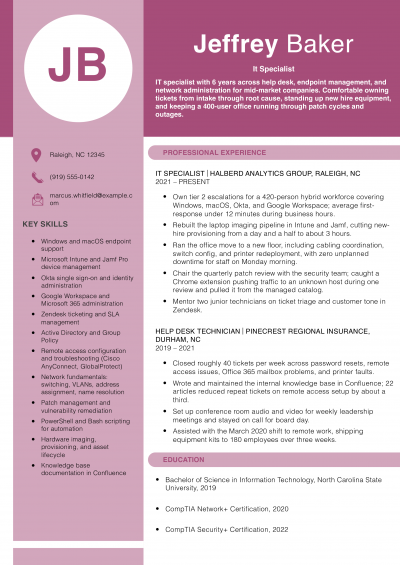
  • Proven team leadership: Owning a hardware budget, running change advisory reviews, and mentoring techs into promotions are the specific things hiring managers look for at the lead level.
  • One before-and-after metric: The 47 minutes to under 15 minutes response-time cut is the kind of concrete win a director will remember from the resume pile.
  • Clear promotion history: The jobs walk from phone queue to lead in a way that makes the promotion history obvious without needing a cover letter to explain it.

Text Version Desktop Support

Marcus Ellery
Raleigh, NC | (919) 555-0142 | [email protected] | linkedin.com/in/marcusellery

PROFESSIONAL SUMMARY

Desktop support technician with six years across corporate offices, a hybrid remote workforce, and a manufacturing plant floor. Known for owning tickets end to end, writing clear handoff notes, and cutting repeat calls through better documentation. CompTIA A+ and Network+ certified, working toward Microsoft MD-102.

EXPERIENCE

Desktop Support Technician II
Halden Biosciences | Raleigh, NC | 2021-Present

  • Own Tier 2 escalations for 1,400 endpoints across two research campuses, closing 92% of assigned tickets within SLA over the last four quarters.
  • Rebuilt the laptop imaging pipeline in Microsoft Endpoint Manager, cutting new-hire provisioning from a full day to about 90 minutes.
  • Partnered with security on a phased Windows 11 rollout, coordinating pilot groups and writing the runbook Tier 1 now uses.
  • Recovered mailbox and OneDrive data for a departing PI after a mis-timed offboarding, preventing loss of an active grant submission.
  • Manage Jamf enrollment and Mac patching for the roughly 180 researchers on macOS.

Desktop Support Technician
Ridgeway Precision Manufacturing | Durham, NC | 2020-2021

  • Sole IT contact on second shift, covering shop floor thin clients, ERP terminals, and office staff.
  • Replaced 12 aging shop floor PCs with ruggedized panel units, coordinating with production supervisors to avoid line downtime.
  • Kept a paper log of recurring plant floor system freezes and used it to make the case for a network switch replacement.
  • Trained two operators as floor-level first responders for common label printer issues.

Help Desk Technician
Piedmont Cooperative Insurance | Cary, NC | 2018-2021

  • Handled 40 to 60 phone and chat tickets per day covering password resets, VPN, Outlook, and Cisco softphone issues.
  • Wrote 18 new KB articles for the ServiceNow portal, reducing repeat tickets on printer mapping by roughly a third.
  • Trained two seasonal contractors during open enrollment, walking them through the ticket queue and internal escalation paths.
  • Recognized by the ops manager for keeping the claims team online during a Friday afternoon Exchange outage.

IT Intern
Wake Technical Community College IT Services | Raleigh, NC | 2017-2018

  • Assisted the desktop team with summer refresh of 90 classroom PCs, including imaging and asset tagging.
  • Shadowed senior techs on projector and smart board repair calls.
  • Documented the classroom cart configurations still referenced in the department wiki.

EDUCATION

  • A.A.S. Information Technology, Wake Technical Community College, 2018
  • CompTIA A+ (2019), CompTIA Network+ (2021), Microsoft MD-102 in progress

SKILLS

  • Windows 10/11, macOS, directory services and cloud identity
  • Microsoft Intune, Endpoint Manager, Autopilot
  • Jamf Pro, macOS fleet management
  • ServiceNow, Jira Service Management
  • Office 365 admin, Exchange Online
  • Cisco AnyConnect, GlobalProtect remote access
  • Hardware repair, printer and copier support, conference room audio and video
  • PowerShell scripting (basic to intermediate)
  • Remote tools: SCCM, TeamViewer, Bomgar
  • Documentation and knowledge base writing
Use this in our builder
Copied

How to Write a Desktop Support Resume

01 Open with what a ticket count cannot show

Lead with one line an IT manager cannot pull from a job title. Name the environment you actually supported: 400 Windows and Mac endpoints across three offices, a mixed thin client floor, or an Intune and Jamf co-managed fleet. Add the tier you owned end to end, tier one through three, or escalation point for a field team.

Name the ticketing system by product: ServiceNow, Jira Service Management, Zendesk, Freshservice. If you carry a rarer skill, say so up front. Azure account hygiene, Intune image builds, or on-call phone support for a C-suite all read as specific.

Two sentences at the top, then the metrics follow.

02 Put real numbers on your ticket work

Support team leads scan for volume, speed and scope before they read duties. A strong bullet gives ticket count, resolution time and a first-contact rate together. Try 45 tickets a day at 92 percent first-call resolution, or a mean time to resolve of under four hours on priority two incidents.

Name the endpoint count you covered, the number of sites, and the user headcount behind the queue. Call out project work by scale: a Windows 11 rollout across 600 machines, or 120 laptop refreshes in a quarter. A bullet with no number reads as a task, not a win.

Two or three quantified lines per role carry more weight than eight generic ones, and recruiters notice the pattern fast.

03 Group your work by the four core areas

Sort your bullets so a reader sees the whole job in one scan. Incident and request handling comes first: triage, remote takeover, diagnosis, resolution, and clean ticket notes. Endpoint and identity work sits next.

Imaging, patching, driver issues, account provisioning, group policy, and password resets belong here. Hardware and asset work is its own group: laptop and desktop builds, printer and peripheral repair, warranty claims, and asset tag intake. Close with how you helped employees get started or leave a job. Mention desk moves and short guides for common computer problems. Naming the categories keeps you from a wall of verbs. It also lets an IT manager map your resume to their own team structure.

04 Place credentials and tools on page one

An IT manager decides in seconds whether your stack matches theirs. Put a short credentials and tools block in the top third of page one, under your summary. List the certifications you hold as written on the badge.

Label any exam you are still studying for as in progress, and skip expired certifications. Below that, name the tools you touch daily. Ticketing platform, remote support tool, device management console, imaging tool, and directory service.

Group them on two or three lines by function, not one long comma soup. Support team leads use this block to rule you in before they read a single bullet, so keep it accurate and current. If you also work a help desk or phone support queue, see our technical support resume examples for ways to present your tools and credentials.

05 Handle education and the closing sections

Education sits near the bottom for anyone past their first role. List the degree, the school and the year, and stop there. A relevant associate degree or a bootcamp in IT support counts, so name it plainly.

If you are early in your career, move education above work history and add coursework in networking, operating systems or security. Skip a generic skills cloud at the end. Instead, close with one short section that adds signal: an on-call or shift-work note, a security clearance if you hold one, or languages you support users in.

Keep the resume to one page through five years of experience, and two pages after that. Trim old retail or unrelated roles to a single line.

Most Popular Skills on Desktop Support Resumes for 2026

Five years ago, a Desktop Support resume read like a laundry list of hardware fixes and printer jams. The mix has shifted toward endpoint tools, identity work in Active Directory, and remote support at scale. Ticket queues now sit behind platforms like ServiceNow, so the language on your resume has to match.

IT managers and support team leads read the hard skills first to confirm you can touch their stack on day one. They read soft skills next as proof you can hold a call with a frustrated user. Both matter, and both belong on the page.

Use the two tables below to mirror the exact wording in your target job posting, then back each soft skill with a bullet that shows it in action.

Soft Skills AI-estimated %
Patient user guidance 69%
Clear technical communication 61%
Priority management 45%
Cross-team collaboration 38%
Calm under pressure 27%

And here are the top hard skills showing up most often.

Hard Skills AI-estimated %
Hardware troubleshooting 78%
Help desk ticketing 65%
OS installation configuration 47%
Remote desktop support 40%
Network connectivity diagnosis 33%

Skill names and rankings come from an AI model grounded in U.S. Department of Labor occupation data for desktop support technicians, not from a count of desktop support technicians’ resumes built on ResumeTemplates.com.

Must Have on a Desktop Support Resume

Name the ticketing platform and imaging tool you use on your shift.

Niche Keywords for ATS Checkers

IT managers and support team leads scan for tools you have actually touched. Generic skill lists get skipped in favor of named systems. Group your keywords by the type of support work you handle. Endpoint work covers imaging, patching, and OS builds. Ticketing covers the queue tools you close cases in. Identity work covers accounts, groups, and access requests. Hardware covers the repairs and swaps you run on site. Remote support covers the tools you use to fix machines you cannot see. Name each product the way the vendor writes it. Keep the capitals on Intune, Jamf Pro, and Okta. That signals hands-on time, not classroom study. Pick the rows that match your last two roles.

Niche Keywords ATS scans for
Endpoint management Intune, Jamf Pro, patch deployment
Ticketing systems ServiceNow, Jira Service Management, Zendesk
Identity and access Active Directory, Azure AD, Okta
Remote support tools TeamViewer, BeyondTrust, Bomgar
Hardware and imaging Dell OptiPlex, OS imaging, printer troubleshooting

AI Skills to Add

What IT managers and support team leads expect on a Desktop Support resume has shifted. A ticket-count summary alone now reads as thin next to peers who name their tools. An honest workflow line reads as current. Say which AI assistant drafts your first-response replies. Say which knowledge base search you query before you escalate. Name the copilot that suggests remediation steps in your endpoint tool. Say who reviews the output before a ticket closes. That is almost always you or a senior tech on the queue. Here is what belongs on the page, and what does not.

What AI is actually changing for this role
Ticket triage

AI assistants inside ServiceNow and Jira draft first-response replies and suggest a priority you confirm or override.

Knowledge search

Copilot-style search inside your knowledge base returns a fix in seconds, so citing the article ID still matters.

Endpoint remediation

Copilots in Intune and similar tools propose scripts and config changes that you review before you run them.

User self-service

Chatbots handle password resets and basic how-to questions, so your queue skews toward harder hardware and access issues.

AI tools to name

  • Microsoft Copilot in Intune: Draft remediation scripts and device query filters that you test before pushing to a pilot ring.

  • ServiceNow Now Assist: Summarize long ticket threads and suggest a resolution note you edit before closing the ticket.

How to phrase AI on your resume
Do
  • Name the tool, the task, and who reviews the output
  • Show one metric tied to the AI-assisted workflow
Skip
  • AI-powered support engineer
  • Leveraged AI to revolutionize the help desk

Latest BLS Statistics for Desktop Support Technicians

The Desktop Support wage curve stretches wide at the top. The 90th percentile out-earns the median by about 63 percent, while the 10th percentile sits roughly a third below it. That gap tells you the market pays for scope and specialization, not for years spent resetting passwords at one tier.

National employment is large, so IT managers and support team leads sort candidates by what you own end to end, not by your title alone. The floor is soft and the ceiling is high, which rewards anyone who can name the systems, tools and endpoint counts they support. Lead your resume with the platforms, ticket scope and escalations you handle, not the length of your tenure at a help desk.

$61,860 National median annual
$67,330 National mean annual
$40,980 10th percentile
$100,540 90th percentile
717,190 Desktop Support Technicians in the U.S.
Where you stand

Below median

$40,980 to $61,860 Show your daily ticket volume and the operating systems and endpoints you support.

Above median

$61,860 to $100,540 Above the median, show the imaging, AD and MDM tools you own, plus your escalation resolution rate.

Top 10%

$100,540+ In the top 10%, lead with the endpoint fleet size you support and any tier-three or team-lead scope.

Top-paying states

# State Median Annual
1 District of Columbia $80,950
2 California $79,570
3 Washington $75,220
4 Massachusetts $75,070
5 New York $72,560
6 Colorado $71,900
7 Connecticut $70,210
8 Wyoming $65,100
9 Virginia $65,040
10 Maryland $64,750

Highest-employment states

# State Workers Median
1 California 74,490 $79,570
2 Texas 72,030 $59,490
3 Florida 51,220 $58,740
4 New York 39,100 $72,560
5 Pennsylvania 30,560 $58,670
-3.5% projected growthJob outlook, 2025-2035

Source: U.S. Bureau of Labor Statistics, Employment Projections, 2025-2035. View on bls.gov
Source: U.S. Bureau of Labor Statistics, OEWS May 2025 release (SOC 15-1232). View on bls.gov
Written by professional resume writers and loved by hiring managers

Resume Templates offers HR approved resume templates to help you create a professional resume in minutes. Choose from several template options and even pre-populate a resume from your profile.

Build My Resume

Frequently Asked Questions

What should a desktop support resume look like?

Lead with a short profile that names your ticket volume, your ticketing platform, and your imaging tool.

Follow with experience grouped by hardware, software, account access, and network work. Close with certifications, tools, and education on page one when space allows.

How do I add key skills to a desktop support resume?

Put a skills block near the top with the exact tools you use, like ServiceNow, Intune, and Active Directory.

Match the wording on the job posting so ATS checkers read it as a hit. Save soft skills like patience for the experience bullets, where you can show them in context.

What format works best for a desktop support resume?

Use a reverse-chronological format with clear section headers and one page for most careers.

IT managers and support team leads scan for tools and ticket volume, so keep those in the top third. A second page is fine later in your career, but the first page still has to stand alone.

Should I list a certification I am still studying for?

Yes, list it under certifications with the words "in progress" and the exam date you have booked.

That signals momentum without claiming a credential you have not earned. Move it to the earned list the week you pass, and update the date on your profile the same day.

How do I show help desk work when I want a desktop support role?

Pull out the tickets that involved imaging, hardware swaps, or hands-on account cleanup, and give them their own bullets.

Name the tools you touched, like Intune or Active Directory, so the shift in scope is visible. Leave the pure password-reset volume in one summary line rather than a full bullet.

How do I handle a gap between desktop support jobs?

Name the gap on the resume with a short line, such as caregiving, study for a CompTIA exam, or contract work between roles.

IT managers and support team leads care more about current tool fluency than a clean timeline. Add a home lab bullet if your last paid role was over a year ago.

How do I list contract or agency desktop support work?

Put the agency name on the top line and the client site as a sub-line under it, so the reader sees both.

Group short back-to-back contracts under one agency heading rather than as separate jobs. That keeps the timeline honest and stops the page from looking like job hopping.

What resume template should a desktop support technician use?

An ATS-friendly template holds your endpoint tools and certifications together. A basic template can hold this resume.

Rate this article

Desktop Support Resume

Average Rating

4.8/5 stars with 211 reviews

You have given 0 Star(s)
4.8/5 stars with 211 reviews

Check Out Related Examples

Featured Example
IT Help Desk Resume Examples and Templates for 2026

Andrew Stoner By: Andrew Stoner

Your profile should state your years on a service desk, the environment you support, and the ticketing system you live in. Name the user count, the operating systems, and whether you work tier 1, tier…
Lead Example
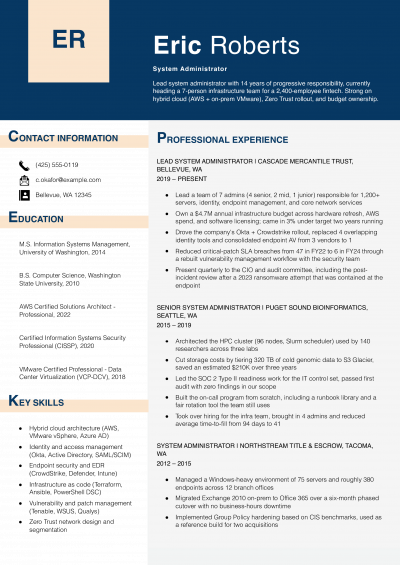
System Administrator Resume Examples and Templates for 2026
Andrew Stoner By: Andrew Stoner

The first line of your summary should name the user count or server count you supported, your uptime figure, and your on-call rotation. IT managers and infrastructure leads read that combination as readiness for their…

Featured Example
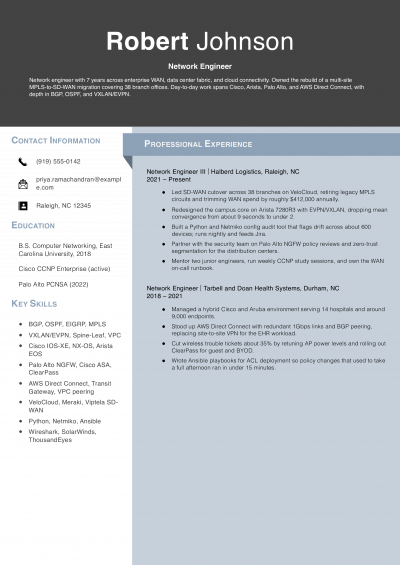
Network Engineer Resume Examples and Templates for 2026
Andrew Stoner By: Andrew Stoner

A CCNP on your resume tells an infrastructure director you passed an exam. It does not tell them what you’ve actually run. Add a single line under your name that names the differentiator a vendor…

Mid Career Example - Information Technology
IT Manager Resume Examples and Templates for 2026
Andrew Stoner By: Andrew Stoner

The first line of your summary should name the scale you operate at, not your years in IT. IT directors read scale as readiness to handle their environment. Lead with endpoint count, ticket volume per…

Featured Example
Entry Level Information Technology Resume Examples and Templates for 2026
Andrew Stoner By: Andrew Stoner

The first line of your summary should name a number, not a claim of passion. Lead with tickets closed per week, systems supported, or users covered during an internship or help desk shift. IT managers…

Featured Example
IT Specialist Resume Examples and Templates for 2026
Andrew Stoner By: Andrew Stoner

Your summary should lead with a number, not a job title recap. IT managers and support team leads scan the first line for ticket volume, uptime figures or endpoint counts. Name your average tickets closed…

Andrew Stoner
Andrew Stoner

Executive Resume Writer and Career Coach

Andrew Stoner is an executive career coach and resume writer with 17 years of experience as a hiring manager and operations leader at two Fortune 500 Financial Services companies, and as the career services director at two major university business schools.

Featured Example

Build your Desktop Support resume

Customize this template in our builder in under 10 minutes.

Build my resume
Excellent Excellent
4.7 STARS on 4.7 STAR
flash image Get the 2x more job offers*
ResumeTemplates.com LOGO
Trustpilot

Elevate your career with insider job advice and expert resume templates.

Build Your Resume
  • AI Resume Builder
  • Resume Builder App
  • Action Verbs, Power Words, and Strong Synonyms to Use on Your Resume
  • How Long Should a Resume Be?
  • How To Make a Resume
  • Key Skills Examples for Your Resume
Essential Resume Guides
  • Are Resume Templates a Good Idea?
  • How to List Work Experience on a Resume
  • How To Fill Out a Resume Template
  • How To Use a Resume Template for Free
About Resume Templates
  • About Us
  • Contact Us
  • Privacy Policy
  • Terms of Service
  • Do Not Sell or Share

© 2026 Resumetemplates.com All rights reserved.