Computer Science Resume Examples and Templates for 2026



A portfolio link with case studies tied to outcomes is what gets UX designer resumes past the recruiter screen; named research methods and shipped Figma work are what make them readable enough to advance to a design director.
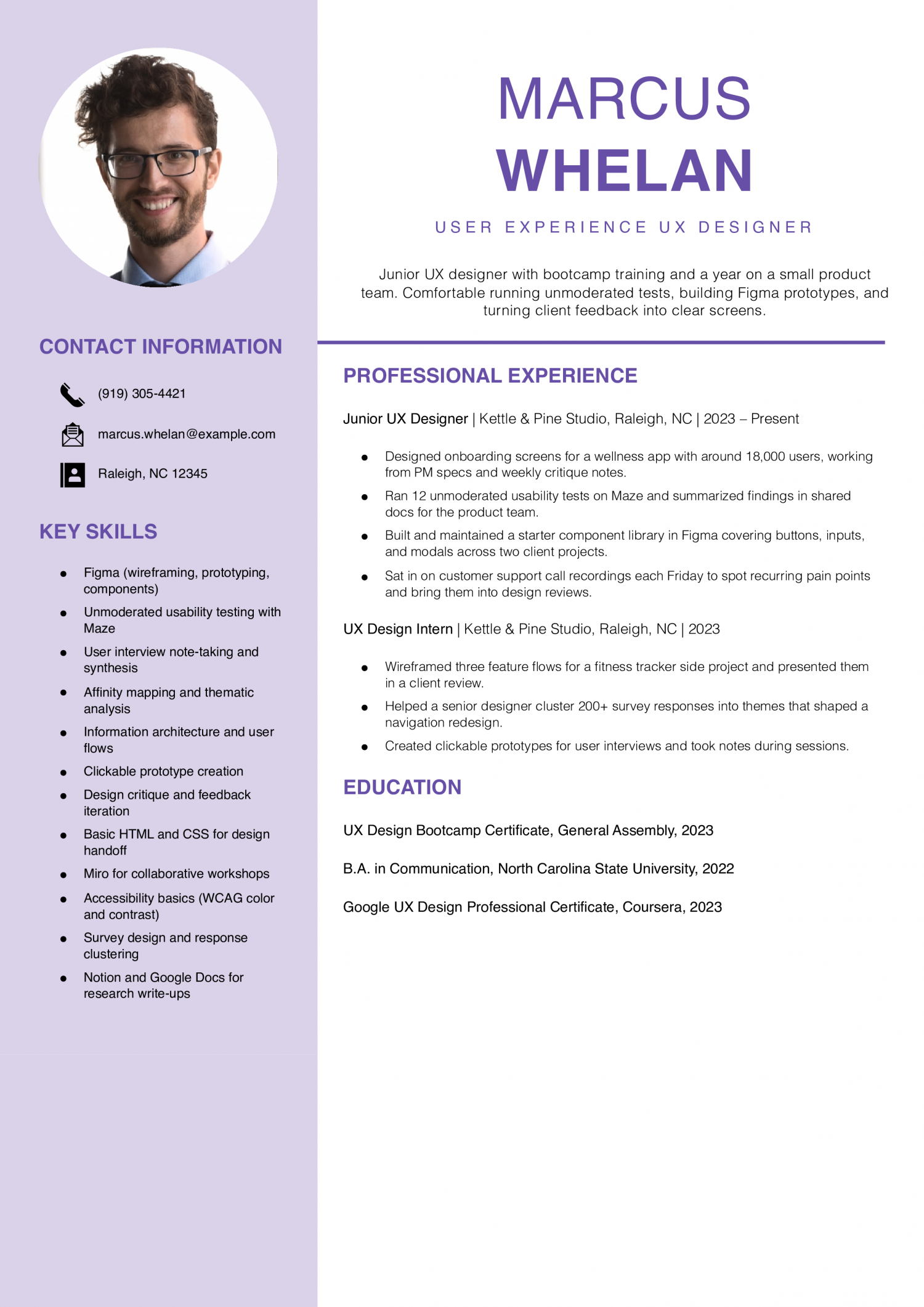
Junior UX designers have 0 to 2 years on a product team, often coming from bootcamps, transitions, or design degrees. The resume needs to prove you can run a usability test, ship a Figma flow, and read research notes.
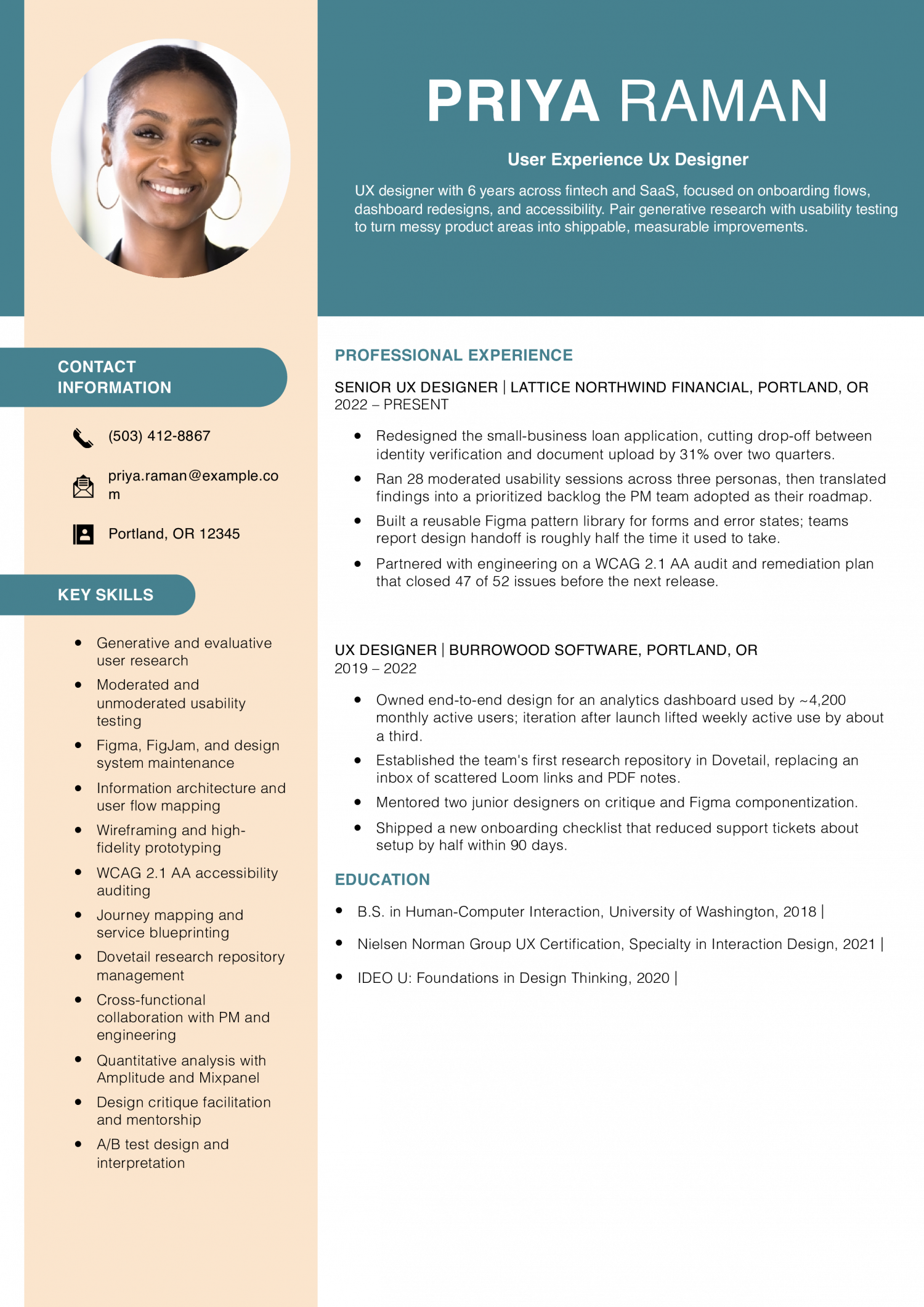
Senior UX designers own features end-to-end and partner with PMs and engineers across a release cycle. The resume needs to prove validated UI shipped to production, measured usability gains, and ownership of a research method.
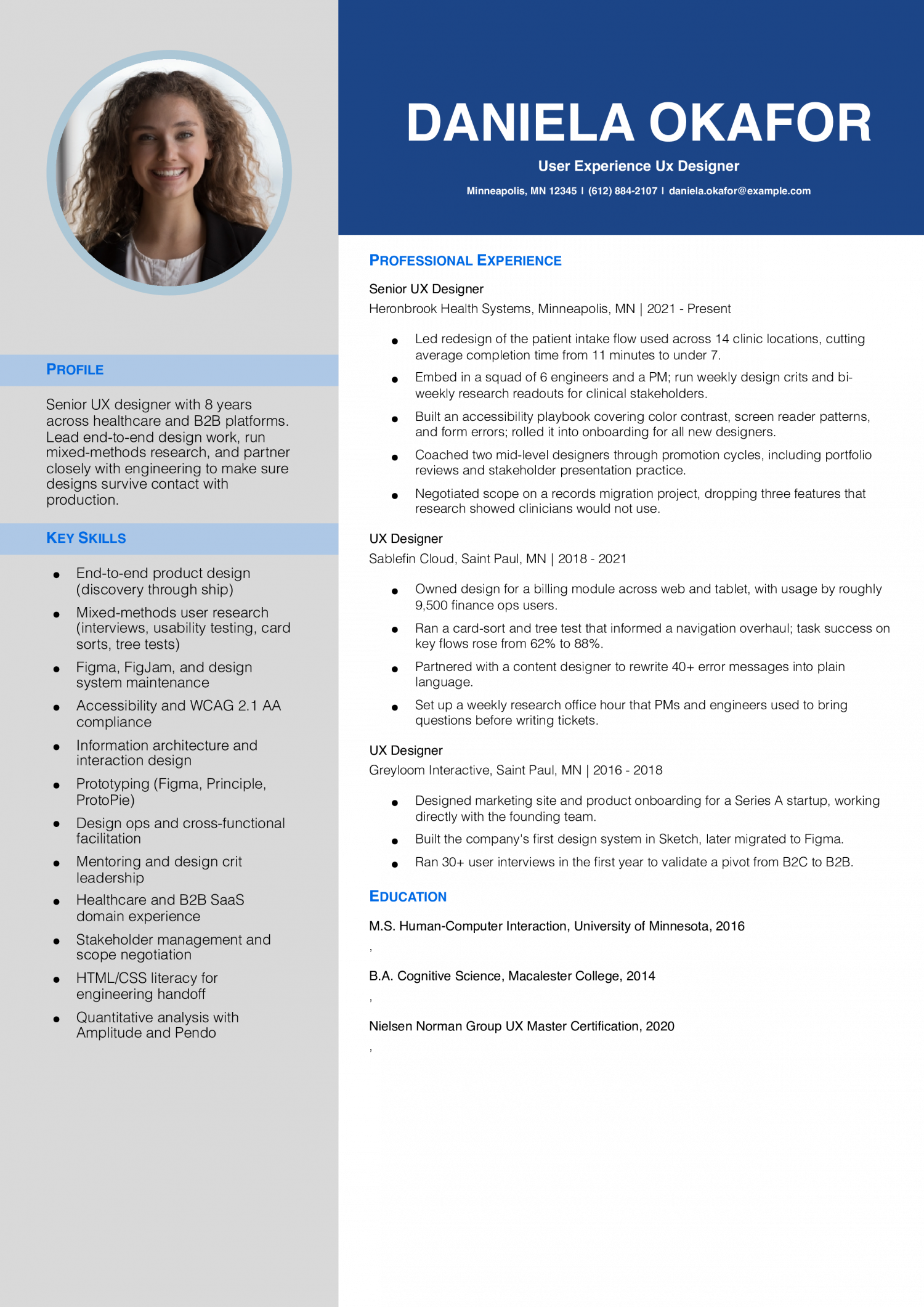
Lead UX designers set design direction, mentor designers, and own a design system or a product area. The resume needs to prove cross-team influence, hiring or mentoring outcomes, and impact on conversion, retention, or task success.
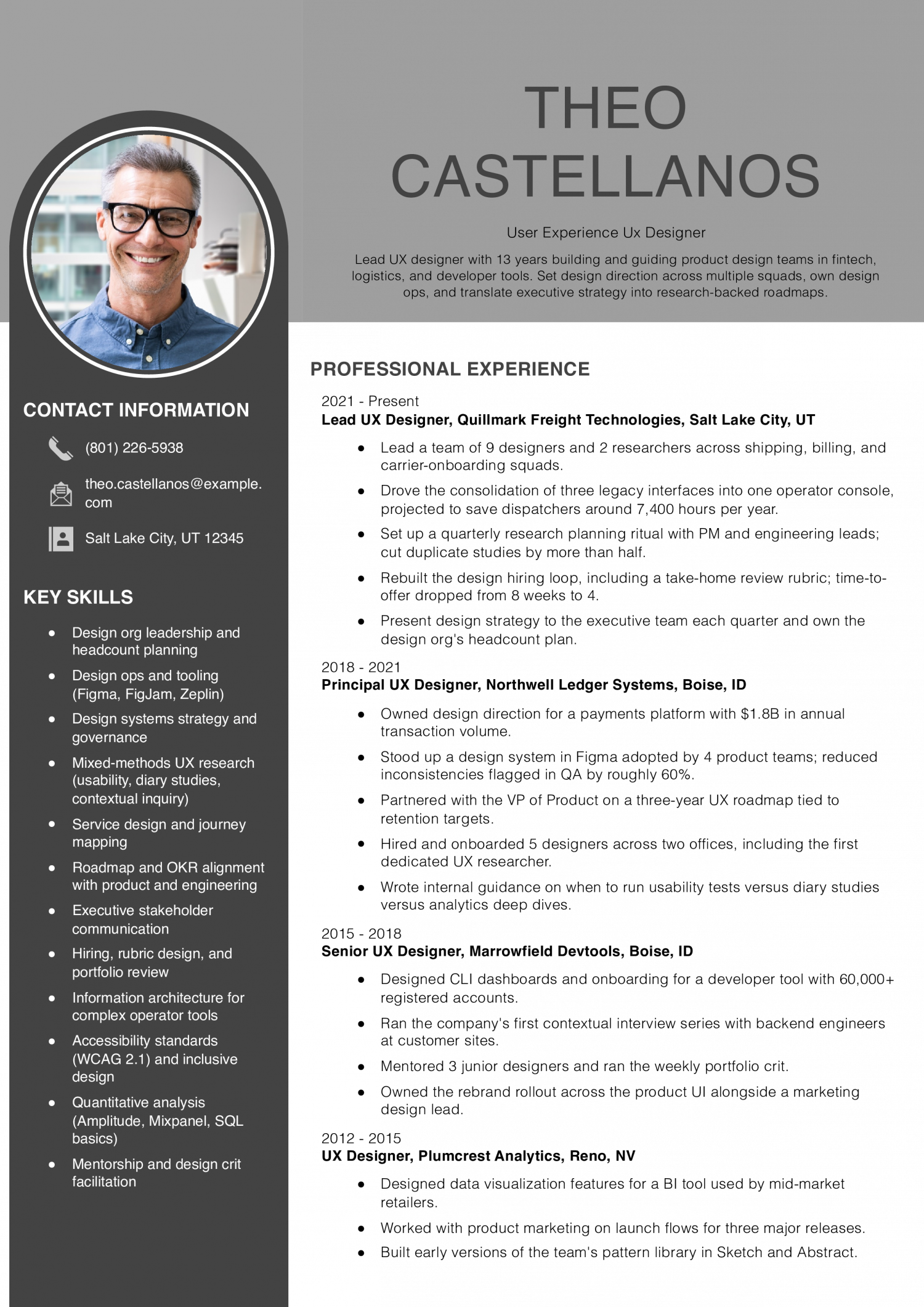
Aisha Bergstrom
Pittsburgh, PA | (412) 559-7714 | [email protected] | linkedin.com/in/aishabergstrom
UX designer with 9 years across consumer mobile, enterprise SaaS, and nonprofit platforms. Combine generative research, interaction design, and design system work to ship features that hold up after launch. Comfortable working with PMs, engineers, content designers, and executive stakeholders.
Senior UX Designer
Verridian Public Media | Pittsburgh, PA | 2022-Present
UX Designer
Coppervale Health Tech | Cleveland, OH | 2019-2022
Product Designer
Junipercast Media | Cleveland, OH | 2017-2019
Junior UX Designer
Tindalwood Education | Erie, PA | 2015-2017
UX Design Intern
Tindalwood Education | Erie, PA | 2015
Add a single line a design director cannot infer from a portfolio thumbnail. Name the specialty that separates you from the next Figma user in the stack.
That could be design systems ownership, accessibility audits at WCAG 2.2 AA, generative research with 30-plus participants, or shipping for native iOS and Android. Lead with the one your target role rewards, then back it up with the company and the product surface.
Recruiters scan for the measurable lift first, then look at what you did to earn it.
Most strong UX resumes name two or three of these: task success rate, time-on-task reduction, conversion lift, NPS or SUS movement, support-ticket drop, and onboarding completion. Tie each metric to the test method and sample size so the result reads as research, not a guess.
Cluster bullets under the work product, not the project name. Design directors scan for category coverage before reading line by line.
Use four buckets: discovery and research (interviews, usability tests, surveys), interaction and visual design (wireframes, prototypes, design system components), validation (A/B tests, tree tests, analytics review), and cross-functional delivery (PM specs, engineering handoff, QA pairing). Name the artifact in each bullet so the reader sees the output.
Put a tools line directly under your summary: Figma, FigJam, Maze, Dovetail, Lookback, plus any code literacy like HTML, CSS, or React reads. Design directors want this visible before they scroll.
Stack certifications below education: NN/g UX Certification, Interaction Design Foundation course completions, IDEO U, or Coursera Google UX. Add the issuing body and the year so the reader can date your training against your role history.
End with education, then a one-line portfolio URL that resolves to case studies, not a Dribbble shot wall. The portfolio link belongs in the header too, but repeating it at the close gives a tired reader a second prompt.
If you are mid-career or career-changing, add a short transition line under education naming the discipline you came from (research, graphic design, front-end, product management) and the bridge project that proves the move.
Five years ago, a UX designer resume read like a Sketch and wireframe checklist. The skills below come from the resumes our users built in 2026. The mix has shifted toward research methods, design systems, and measurable usability outcomes.
Design directors weigh hard skills first for screening, then read soft skills as evidence backing your bullets. Collaboration claims need a PM or engineer mentioned by function. Match the hard-skills list against your target job posting and treat soft skills as proof points inside your bullets, not standalone labels.
| Soft Skills | % of resumes with this skill |
|---|---|
| Communication | 71% |
| Problem-solving | 65% |
| Empathy | 44% |
| Collaboration | 36% |
| Active listening | 27% |
And here are the top hard skills showing up most often.
| Hard Skills | % of resumes with this skill |
|---|---|
| User research | 70% |
| Wireframing and prototyping | 68% |
| Information architecture | 48% |
| Interaction design | 39% |
| Usability testing | 27% |
Based on data from thousands of UX designers’ resumes built on ResumeTemplates.com, May 2026.
Pick the terms that fit the design work you want.
Design directors and product managers expect your skills block to reflect the sub-niche your target posting names. Match the cluster below that fits your last 18 months of shipped work.
| Niche | Keywords ATS scans for |
|---|---|
| Product UX | feature design, end-to-end ownership, prd collaboration, sprint design |
| UX research | user interviews, usability testing, dovetail, research synthesis |
| Design systems | component library, design tokens, figma variables, accessibility audit |
| Service and enterprise UX | service blueprint, journey mapping, workflow design, b2b saas |
| Conversion and growth UX | a/b testing, onboarding flow, funnel optimization, amplitude |
Show design directors how AI tools fit your design process, and name the decisions you still make by hand.
Tools like Dovetail AI and ChatGPT cluster interview transcripts and surface themes, cutting synthesis time on 20-plus interviews.
Figma AI and Uizard turn prompts into low-fidelity flows, shifting designer time from drawing rectangles to validation.
Maze AI tags task failures and sentiment in unmoderated test recordings, letting designers run larger studies per sprint.
AI plugins audit components for token drift and accessibility contrast, replacing manual library reviews on each release.
The portfolio link carries more weight than any bullet on your UX resume. Pick a platform that loads fast, shows case studies in order, and lets you password-protect work under NDA.
Full control over case study layout, password gating, and page speed.
Clean reading experience for case study writeups, low setup time, easy to update.
Better for visual-heavy case studies if your work leans on craft and motion.
Reads as shot-driven, not problem-driven; use as a supplement, not the primary link.
Lead with three to five case studies, not 12. Design directors skim the first two before deciding whether to read further.
Each case study should answer four questions in order: what was the problem, what did you do, what shipped, and what changed for users. Add a one-line outcome summary above the four so a reader who only scrolls the top of the page still gets the signal.
If you have NDA work, write the case study as a process narrative with sanitized artifacts and offer the full version on request. A locked link with a contact note reads better than a missing case study.
These are the tools that show up most often in 2026 UX postings. Name the ones you have used in production, not the ones you have demoed.
A short recognition block tells design directors you are visible in the craft community. Keep it tight and recent.
Use the full name of each UX credential you hold.
The 90th-percentile UX designer out-earns the median by a wide margin, which tells you the market rewards specialization, design systems ownership, and shipped product impact more than years on a design team. A generalist resume rarely reaches that band. Geographic concentration also matters: pay clusters in product-tech metros and remote-friendly employers paying to those bands.
Lead the resume with the surface you own, the research methods you run, and the metric your last release moved.
| # | State | Avg. Annual |
|---|---|---|
| 1 | California | $130,240 |
| 2 | Washington | $126,960 |
| 3 | New York | $121,700 |
| 4 | Rhode Island | $111,200 |
| 5 | Massachusetts | $107,560 |
| 6 | Hawaii | $105,560 |
| 7 | Colorado | $103,990 |
| 8 | Georgia | $100,530 |
| 9 | Utah | $99,300 |
| 10 | Vermont | $99,160 |
| # | State | Workers | Median |
|---|---|---|---|
| 1 | California | 27,210 | $130,240 |
| 2 | New York | 14,840 | $121,700 |
| 3 | Washington | 7,840 | $126,960 |
| 4 | Texas | 7,360 | $89,630 |
| 5 | Florida | 4,140 | $75,480 |
A note on these numbers. The Bureau of Labor Statistics groups UX designers with user experience researchers, so its standard figure can understate pay for UX designers in technology. The title-specific number here is higher and draws on U.S. Department of Labor visa wage filings, which skew toward large technology employers, so treat it as the upper end. For UX designers, pay swings most with employer type (product company versus agency), the metro you work in, and whether you own a design system or specialty area.
Resume Templates offers HR approved resume templates to help you create a professional resume in minutes. Choose from several template options and even pre-populate a resume from your profile.
Yes. A UX designer resume without a portfolio URL gets cut at the recruiter stage.
Put the link in the header next to your email and repeat it at the close. The portfolio should resolve to case studies showing problem, process, and outcome, not a gallery of screens.
Describe the problem space, the method, and the outcome without naming the product. Replace screens with process diagrams, sanitized wireframes, or a written walkthrough.
On the resume itself, name the company and the surface category (checkout, onboarding, internal tool). Save the visual proof for a password-protected portfolio link you share on request.
Lead with the bridge project: a redesign you ran with users, a usability test you facilitated, or a research synthesis you wrote. Make the transition visible.
Keep one or two prior bullets that show transferable skill (typography, component thinking, code literacy). Cut anything that reads as purely visual or purely engineering output.
No. Pick the tools your target postings name and the ones you can defend in an interview. A long tool list reads as filler.
A strong stack line covers a design tool (Figma), a research tool (Dovetail, Lookback, or Maze), an analytics or testing tool (Amplitude, Hotjar, or Optimizely), and any code literacy. Five or six tools is enough.
A modern template works for a UX resume that features research methods and usability data. A creative template suits UX work, too.
Executive Resume Writer and Career Coach
Andrew Stoner is an executive career coach and resume writer with 17 years of experience as a hiring manager and operations leader at two Fortune 500 Financial Services companies, and as the career services director at two major university business schools.